
Dart 从零开始编写应用程序 (上)
你的第一个APP Build your first app
检查开发环境 Confirm your Dart setup
- 打开终端
- 运行下面的指令检查你的Dart SDK版本
dart --version - 确保你能看到类似这样的输出如果你看到的是
Dart SDK version: 3.9.2 (stable) (Wed Aug 27 03:49:40 2025 -0700) on "linux_x64"command not found,请参考Dart安装指南配置开发环境

创建Dart项目
dart create cliThe
dart createcommand generates a basic Dart project named "cli" (for Command Line Interface). It sets up the essential files and directories you need.
dart create指令会生成一个名为cli的基础Dart项目。它会自动创建你需要的必要文件和目录
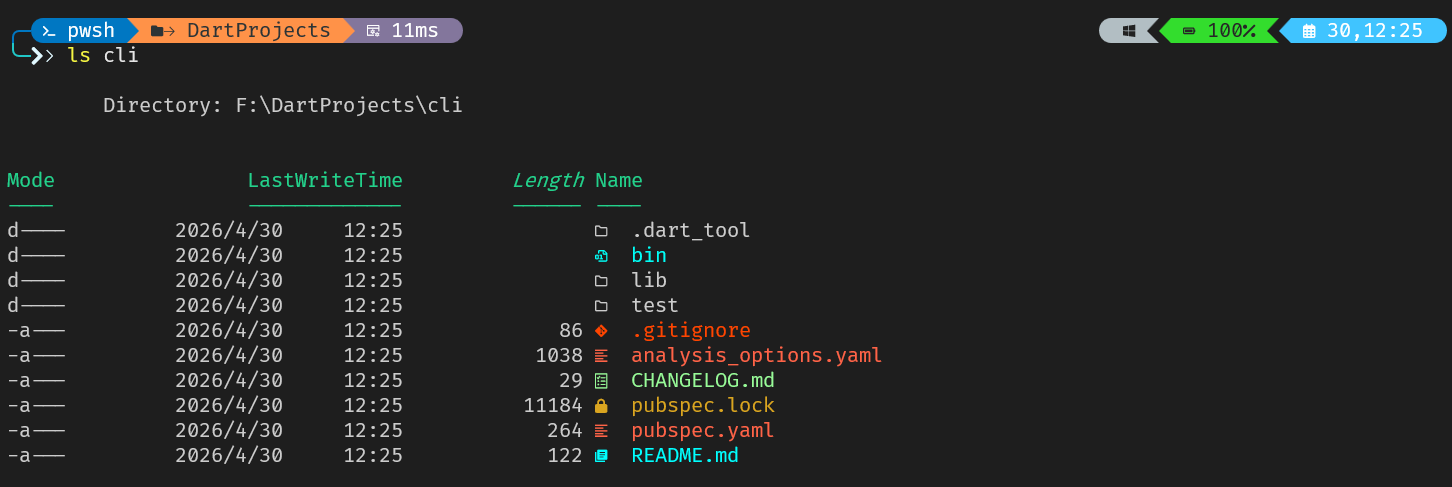
运行你的第一个Dart程序 Run your first Dart program
- 进入项目目录
cd cli - 运行默认程序
dart run - 你应该看到类似下面这样的输出:
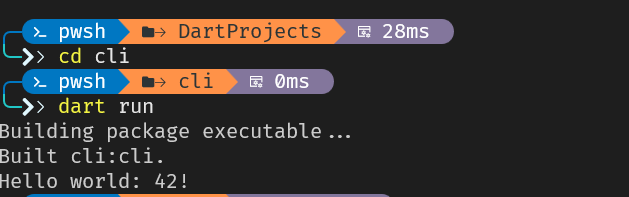
Congratulations! You've successfully run your first Dart program!
恭喜你!你成功运行了你的第一个Dart程序
小改一下代码
接下来,小改一下生成Hello world: 42!的代码:
- 打开
bin/cli.dart文件 - 看一下文件内容是不是下面这样的:
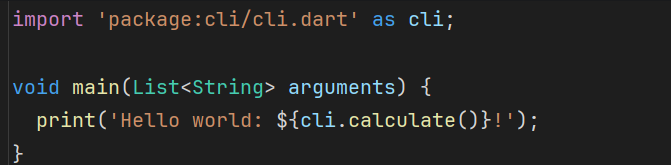
- 删掉导入语句(因为你不再需要
cli库了);并修改print语句的参数: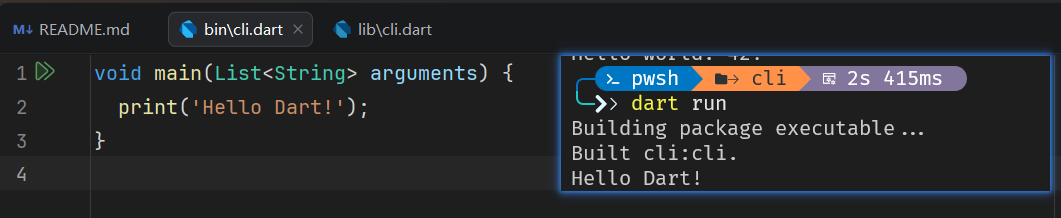
- 保存文件并重写编译运行
dart run - 确保你看到以下输出
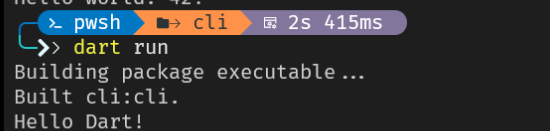
现在你成功修改并重新运行了你的第一个Dart程序
课后练习
哪一个指令是用来创建新的Dart项目(附带必要文件和目录结构)的?
Which command generates a new Dart project with the necessary files and directory structure?
dart create
dart createcreates and scaffolds a new project. You can also use-tto specify a template, likedart create -t console project_name.
dart create用于创建并搭建新项目的脚手架(scaffold)。你可以使用-t指定一个模板,比如 dart create -t console project_name(译注:dart create默认创建的就是cli模板的项目)
注
- 列出模板列表
你可以使用--list-templates查看完整的模板列表:
╰─ dart create --list-templates
[
{
"name": "cli",
"label": "CLI Application",
"description": "A command-line application with basic argument parsing.",
"categories": [
"dart",
"cli"
],
"entrypoint": "bin/__projectName__.dart"
},
{
"name": "console",
"label": "Console Application",
"description": "A command-line application.",
"categories": [
"dart",
"console"
],
"entrypoint": "bin/__projectName__.dart"
},
{
"name": "package",
"label": "Dart Package",
"description": "A package containing shared Dart libraries.",
"categories": [
"dart"
],
"entrypoint": "lib/__projectName__.dart"
},
{
"name": "server-shelf",
"label": "Server app",
"description": "A server app using package:shelf.",
"categories": [
"dart",
"server"
],
"entrypoint": "bin/server.dart"
},
{
"name": "web",
"label": "Bare-bones Web App",
"description": "A web app that uses only core Dart libraries.",
"categories": [
"dart",
"web"
],
"entrypoint": "web/main.dart"
}
]每一个Dart程序都会从一个特定的函数开始执行。这个函数是什么?为什么它如此重要?
Every Dart program starts executing from a specific function. What is this function called and why is it important?
void main() {}The
mainfunction is required in executable Dart programs. Without it, Dart wouldn't know where to begin running your code.
Dart可执行程序必须要有main函数。没有main函数,Dart就不知道从哪里开始执行你的代码
在Dart CLI项目中,你应该把main函数放在哪个文件中?
In a Dart CLI project, where should you place the file containing your
mainfunction?
bin/ // directoryThe
bin/directory contains a program's Dart entry points. When you rundart run, Dart looks here for your package's entry point.
bin/目录用于存放Dart程序的入口点。当你执行dart run时,Dart会在bin/目录下寻找你的package入口函数
增添一点交互功能 Add interactivity to your app
实现查看版本和帮助指令 Implement version and help commands
实现版本查看指令
const version = "0.0.1"; // 声明 version 常量

void main(List<String> arguments) {
  if (arguments.isEmpty) {
    print('Hello Dart!');
  }else if (arguments.first == "version") {
    // 字符串模板语法: ${expression}
    // 如果表达式是变量, 那么可以省略`{}`
    print("Dart CLI version $version");
  }
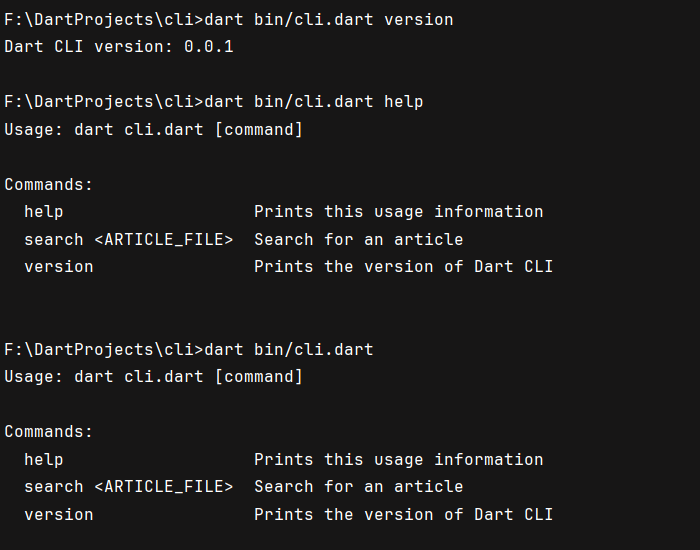
}F:\DartProjects\cli>dart bin/cli.dart version
Dart CLI version 0.0.1实现帮助查看指令
const version = "0.0.1";

void printUsage() {
  print('''
Usage: dart cli.dart [command]

Commands:
  help                   Prints this usage information
  search <ARTICLE_FILE>  Search for an article
  version                Prints the version of Dart CLI
'''); // search指令是等下要实现的
}

void main(List<String> arguments) {
  if (arguments.isEmpty) {
    printUsage();
    return;
  }

  switch (arguments.first) {
    case 'help':
      printUsage();
    case 'search':
      print("Not implemented");
    case 'version':
      print('Dart CLI version: $version');
  }
}arguments.isEmptychecks if no command-line arguments were provided.arguments.firstaccesses the very first argument, which you're using as our command.versionis declared as aconst. This means its value is known at compile time, and you can't change it during runtime.argumentsis a regular (non-constant) variable because its content can change during runtime based on user input.
实现搜索指令 Implement the search command
留个占位函数
void searchWikipedia(List<String>? arguments) {
  // TODO: 引入dart:io库实现网络请求并返回页面内容
}

void main(List<String> arguments) {
  if (arguments.isEmpty) {
    printUsage();
    return;
  }

  switch (arguments.first) {
    case 'help':
      printUsage();
    case 'search':
      final inputArgs = arguments.length > 1 ? arguments.sublist(1) : null;
      searchWikipedia(inputArgs);

    case 'version':
      print('Dart CLI version: $version');
  }
}引入dart:io库并实现searchWikipedia函数
import 'dart:io'; // Add this line at the top提示
dart:iois a core library in the Dart SDK, and provides APIs to deal with files, directories, sockets, and HTTP clients and servers, and more.
dart:io是Dart SDK的核心库,提供文件操作、目录操作、套接字和HTTP C/S端等等API
官方实际上鼓励开发者使用package:file和package:http这类封装库
现在更新你的函数
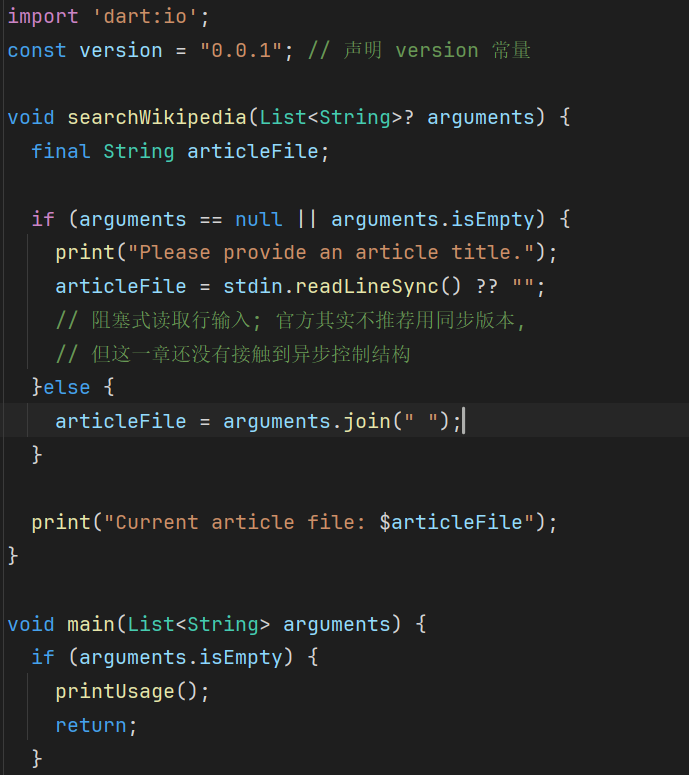
void searchWikipedia(List<String>? arguments) {
  final String articleTitle;

  // If the user didn't pass in arguments, request an article title.
  if (arguments == null || arguments.isEmpty) {
    print('Please provide an article title.');
    // Await input and provide a default empty string if the input is null.
    articleTitle = stdin.readLineSync() ?? '';
  } else {
    // Otherwise, join the arguments into a single string.
    articleTitle = arguments.join(' ');
  }

  print('Current article title: $articleTitle');
}
stdin.readLineSync() ?? ''reads the input from the user. Whilestdin.readLineSync()can return null, the null-coalescing operator (??) is used to provide an empty string ('') as a fallback if the input is null. This is a concise way to ensure that the variable is a non-null string.arguments.join(' ')concatenates all elements of theargumentslist into a single string, using a space as the separator. For example,['Dart', 'Programming']becomes"Dart Programming". This is crucial for treating multi-word command-line inputs as a single search phrase.- Dart static analysis can detect that
articleTitleis guaranteed to be initialized when the print statement is executed. No matter which path is taken through this function body, the variable is non-nullable.
接下来写一点Mock数据表示表示
void searchWikipedia(List<String>? arguments) {
  final String articleTitle;

  // If the user didn't pass in arguments, request an article title.
  if (arguments == null || arguments.isEmpty) {
    print('Please provide an article title.');
    // Await input and provide a default empty string if the input is null.
    articleTitle = stdin.readLineSync() ?? '';
  } else {
    // Otherwise, join the arguments into the CLI into a single string
    articleTitle = arguments.join(' ');
  }

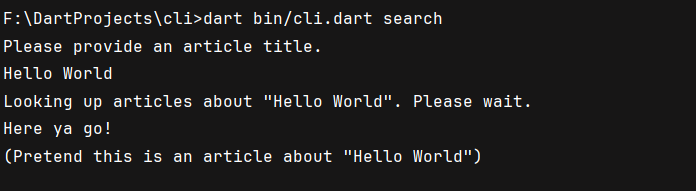
  print('Looking up articles about "$articleTitle". Please wait.');
  print('Here ya go!');
  print('(Pretend this is an article about "$articleTitle")');
}
课后练习
哪一个关键字用于声明编译期可知的变量
Which keyword is used to declare a constant variable in Dart whose value is known at compile time?
conststdin.readLineSync()的主要作用是什么
What is the primary purpose of
stdin.readLineSync()in a CLI application?
// To read a single line of text input from the user当arguments为['search', 'Dart', 'Programming']时,arguments.sublist(1)的返回值是什么?
What does
arguments.sublist(1)return whenargumentsis['search', 'Dart', 'Programming']?
['Dart', 'Programming']
sublist(1)creates a new list containing all elements from index 1 onward, skipping the first element.
sublist(1)返回一个包含从索引1开始的所有元素的列表,跳过原始列表的第一个元素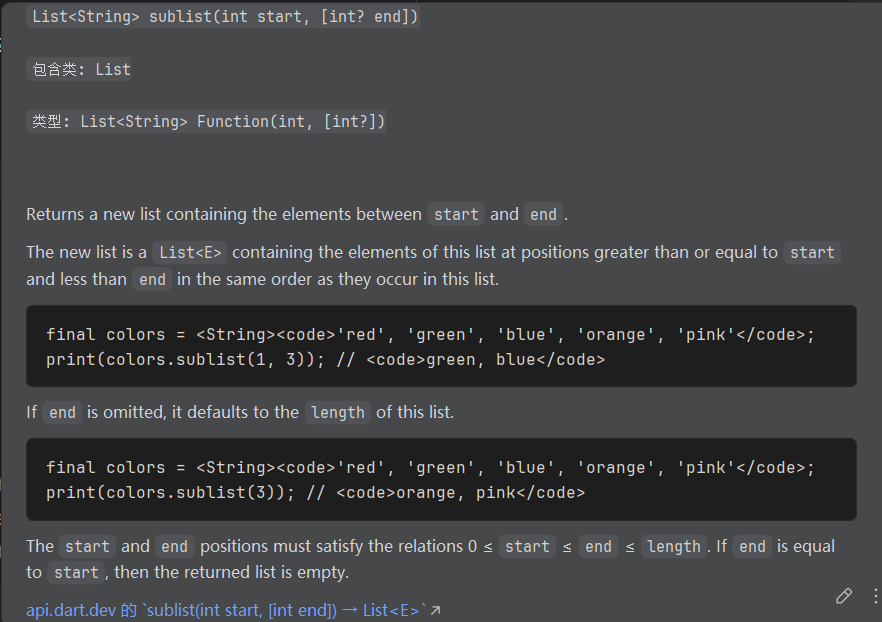
注意
sublist函数返回的是不同于原始列表的新实例,但新列表中的元素引用和原始列表中的元素引用相同(浅拷贝),修改相同部分的元素会污染原始列表中的元素,但在新列表上增减元素不会影响原始列表
编写异步代码 Write asynchronous code
添加HTTP依赖 Add the HTTP dependency
在你能够发起HTTP请求之前,你需要将http包依赖加入到你的项目中
- 打开
<PROJECT_NAME>/pubspec.yaml。这个文件被称作仓库描述文件 pubspec,管理你的Dart项目的元数据、依赖(比如接下来要用到的http包)和资产 - 找到
dependency段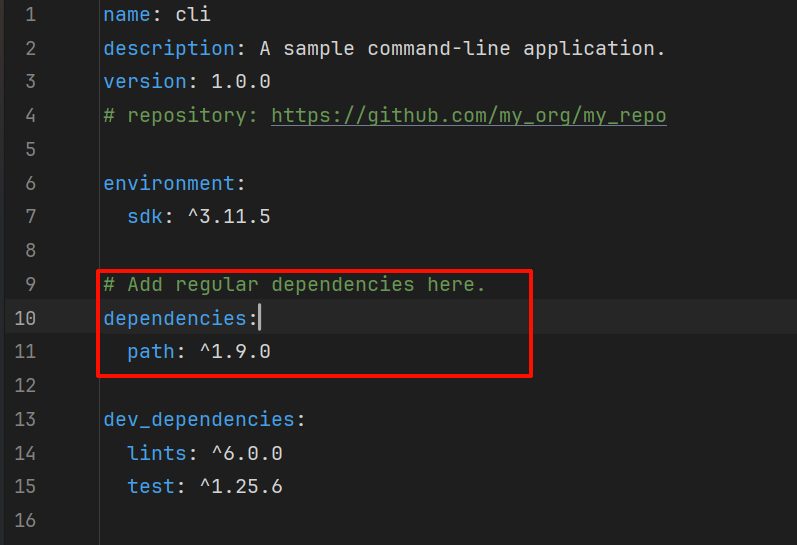
- 在
dependencies下面加入http:^1.3.0(或最新最稳定版本,目前为1.6.0);^符号表示允许使用的最低版本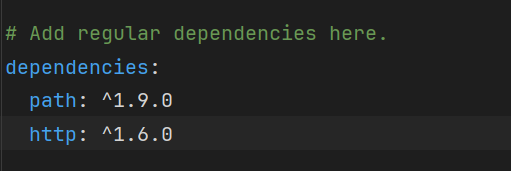
- 保存文件修改
- 在
<PROJECT_NAME>/路径下执行dart pub get。这个指令会下载新引入的依赖并确保依赖可用。你应该看到类似下面的输出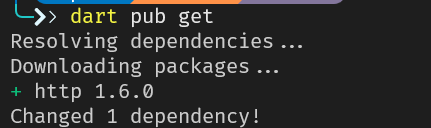
导入http包 Import the http package
既然你已经引入http依赖了,你现在要把它引入到你的Dart文件中
- 打开
<PROJECT_NAME>/bin/cli.dart文件 - 在文件顶部加入下面的导入语句,保留之前的
dart:io导入语句:这行代码会导入import 'dart:io'; import 'package:http/http.dart' as http; // Add this linehttp包,并设置别名为http
实现getWikipediaArticle函数 Implement the getWikipediaArticle function
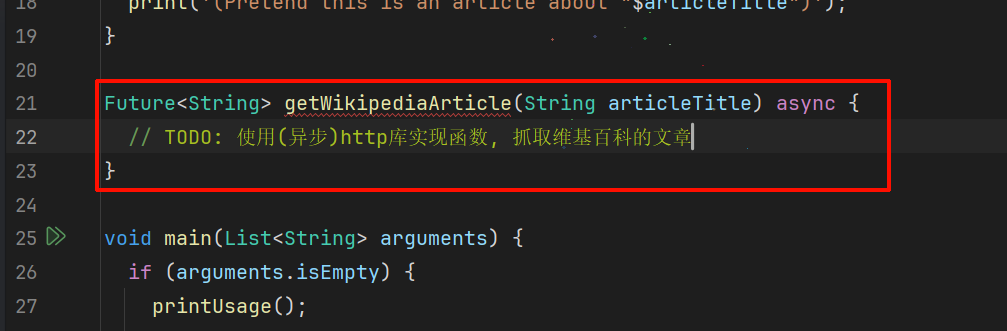
- 定义函数签名
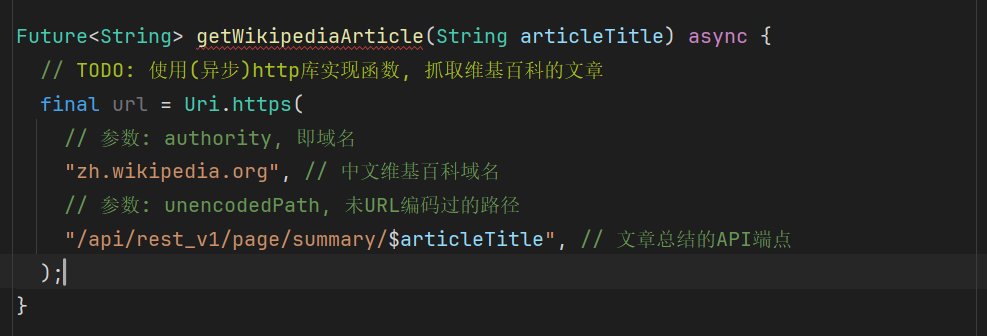
- 构造URL
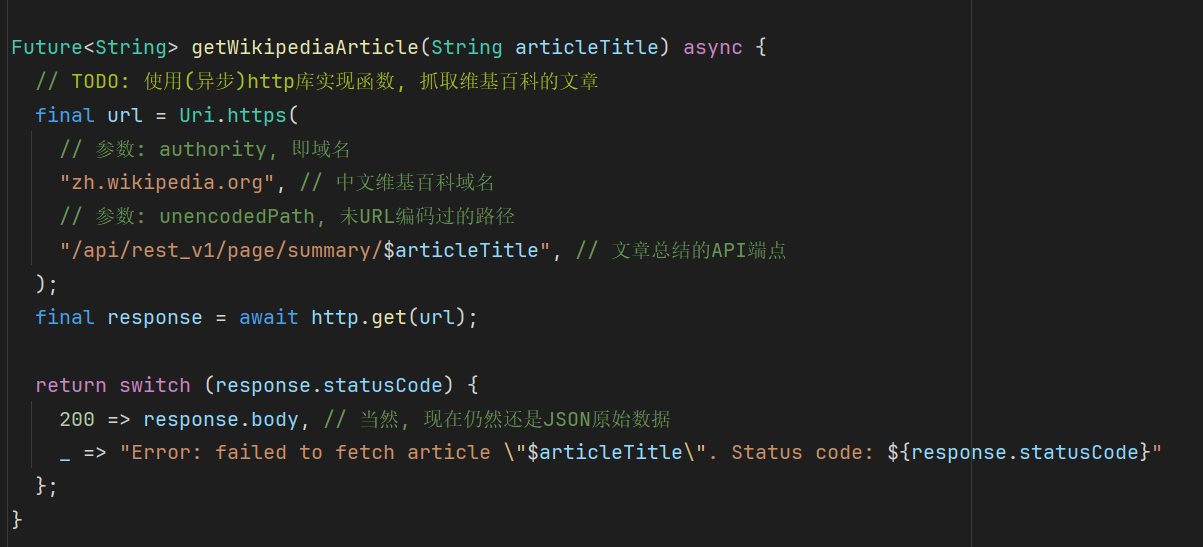
- 发起HTTP请求并处理响应
- 修改
searchWikipedia函数使其调用getWikipediaArticle函数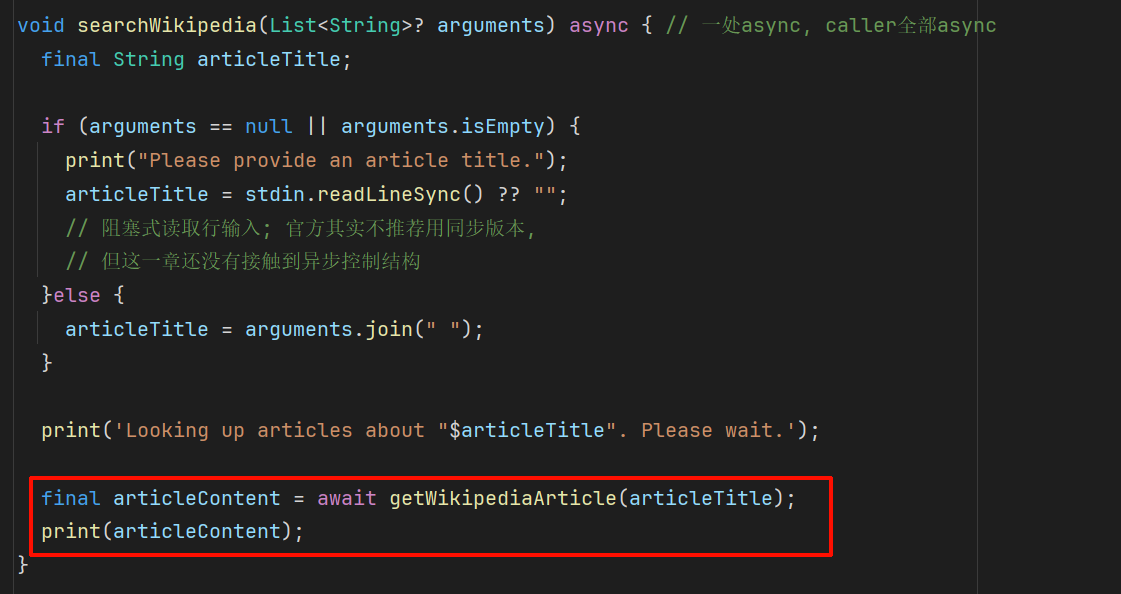
- 顺便修改一下变量类型
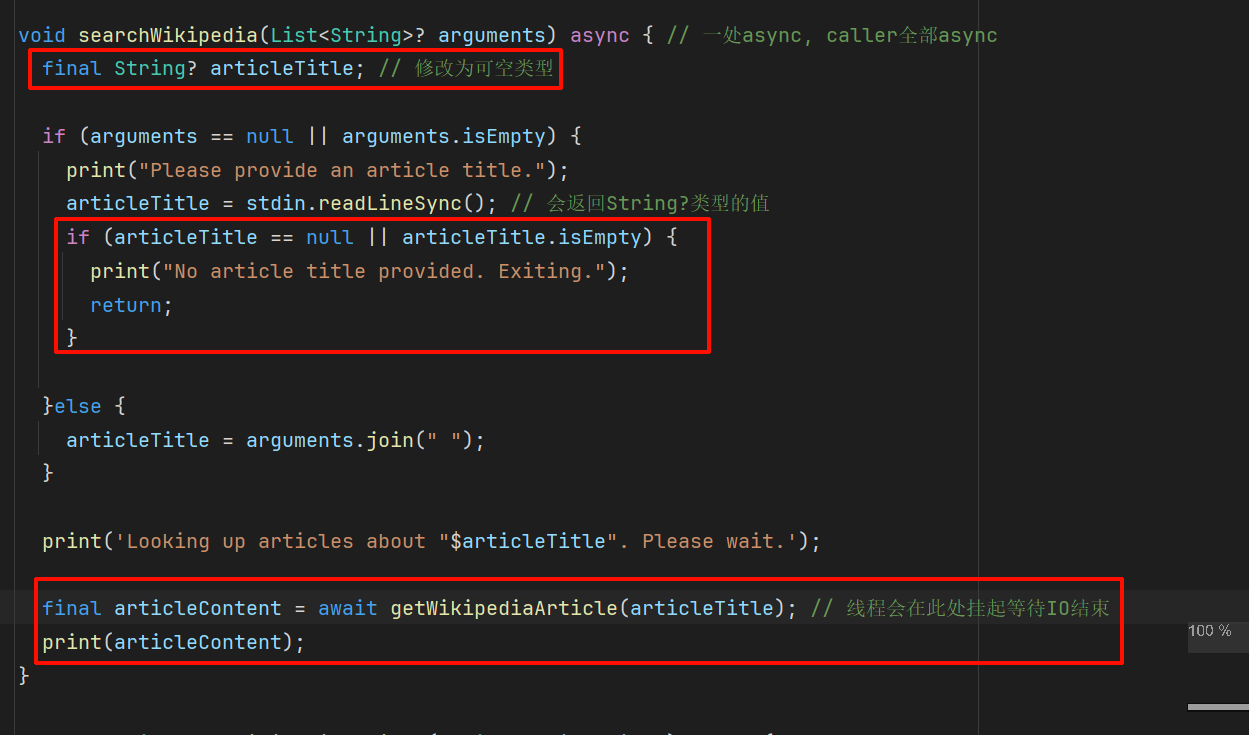
- 修改搜索指令为
wikipedia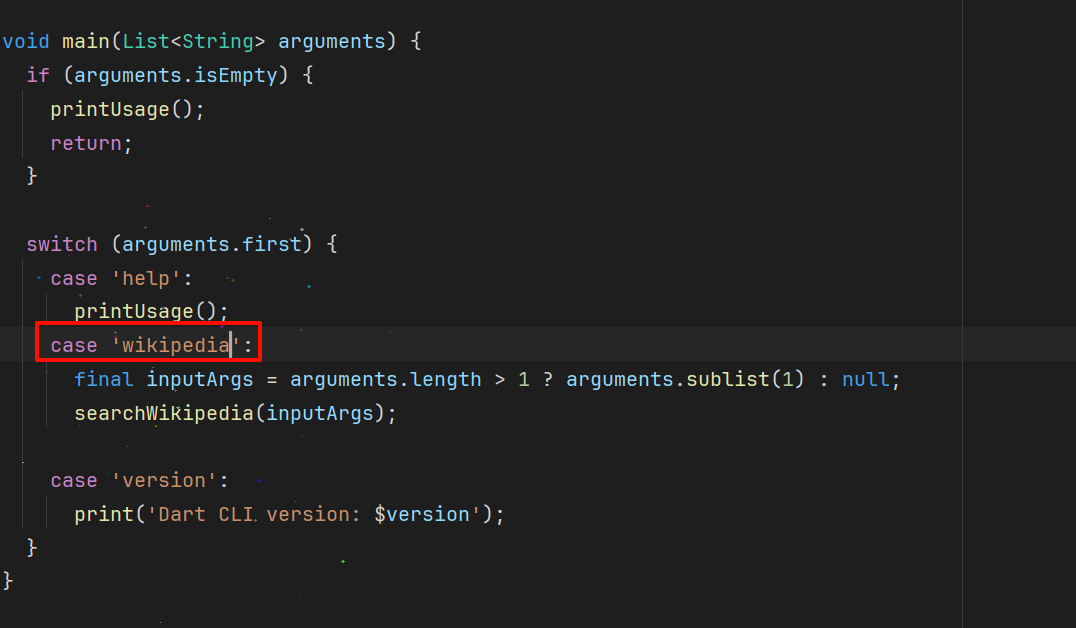
- 鉴于
main函数不需要在searchWikipedia函数执行完之后做什么,你不需要给main函数体也加上一个async关键字
- 鉴于
运行程序 Run the application
dart run bin/cli.dart wikipedia "Dart_(programming_language)"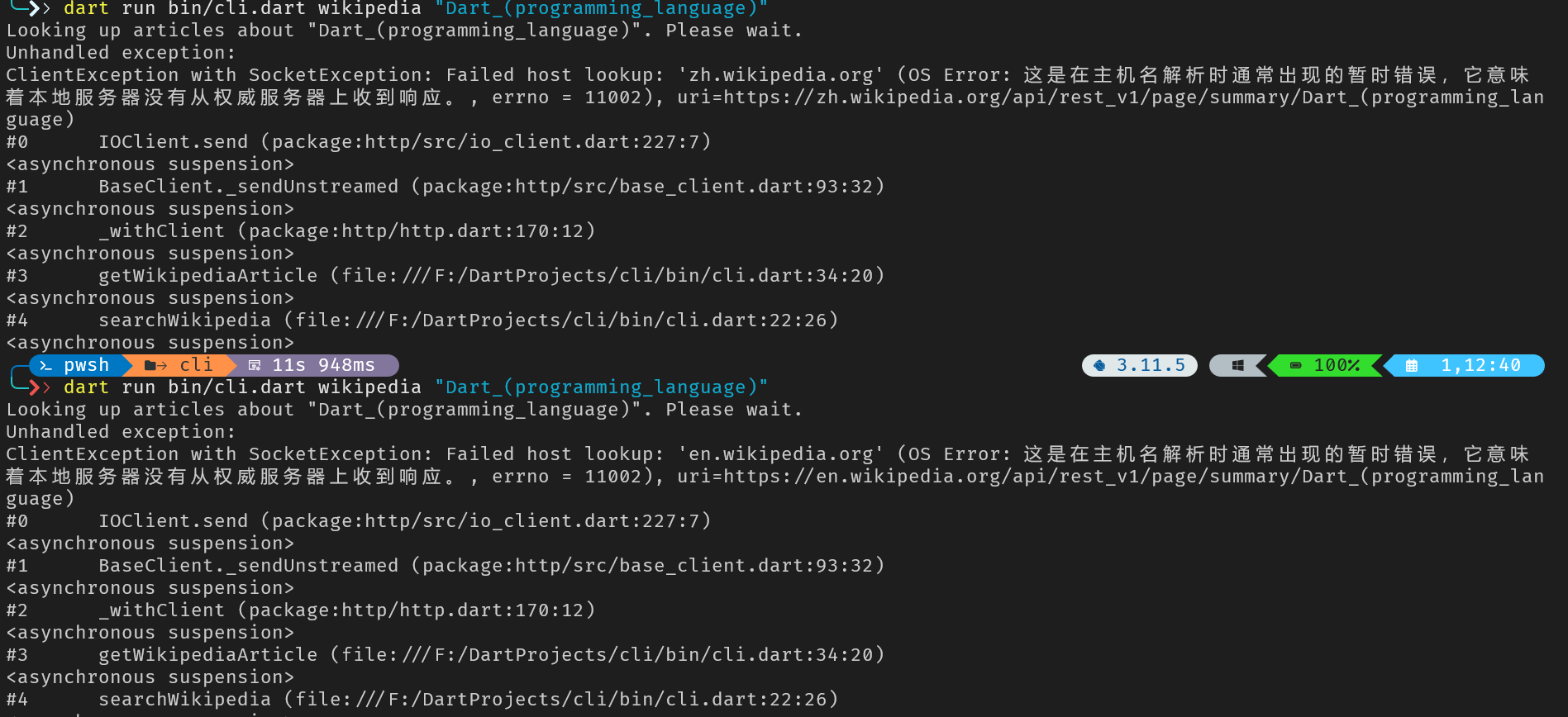
泻药……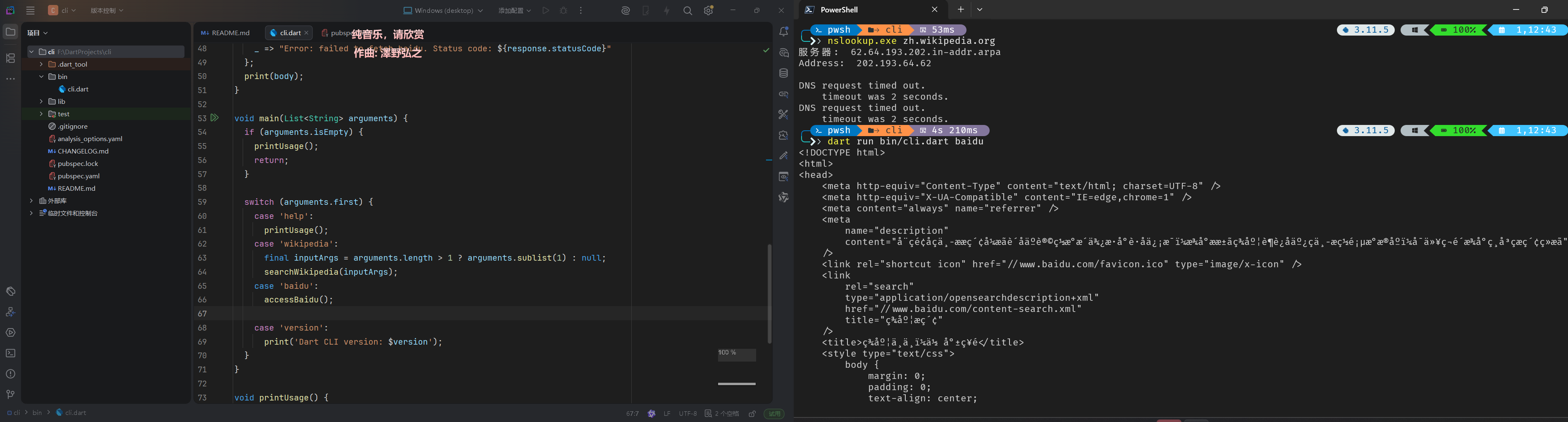
百度倒是可以访问的,应该只是单纯上不去维基百科主站导致的
课后练习
哪一个关键字用于定义异步函数
What keyword is used to mark a function as asynchronous in Dart?
asyncasync关键字标记一个函数为异步函数,允许函数内使用await等待异步操作
Future<String> 类型表示什么
What does a
Future<String>represent in Dart?
// A string value that will be available at some point in the future.Future就像一个承诺 Promise,它代表一个现在不可用,但在异步操作结束后可用的值(比如网络请求)
await一个Future对象意味着什么
What does
awaitdo when placed before aFuture?
// It pauses the function until the `Future` completes, then returns the unwrapped value.await会暂停函数的执行,等待Future对象执行完成
在你等待HTTP响应的同时,程序的其他部分在做什么
While your code is waiting for an HTTP response with
await, what happens to other parts of your application?
// Other asynchronous operations and event handlers can continue running.这就是异步编程的优势。在等待一个操作的执行的同时,Dart的事件循环可以处理其他操作,保持程序可用
用package和library组织代码 Origanize code with packages and libraries
In this chapter, you'll be refactoring the existing
dartpediaCLI application by extracting the command-line argument parsing logic into a separate package calledcommand_runner. This will improve the structure of your project, making it more modular and maintainable.
在这一章中,你将重构现有的dartpediaCLI程序,提取CLI参数解析逻辑到一个单独的名为command_runner包中。这将改善你的项目结构,使其更加模块化、更具可维护性
注
There is a
command_runnerclass that is part of the officially maintainedargspackage. For this tutorial we're building our owncommand_runnerclass, but in a real project you would likely use the class fromargs.
在官方维护的args包中已存在一个command_runner类。在本教程中,我们要编写我们自己的command_runner类,但在一个真实的项目中,你应该直接调args包的command_runner类
创建 command_runner 包 Create the command_runner package
- 导航到项目根目录
/dartpedia - 创建新的模板项目
dart create -t package command_runner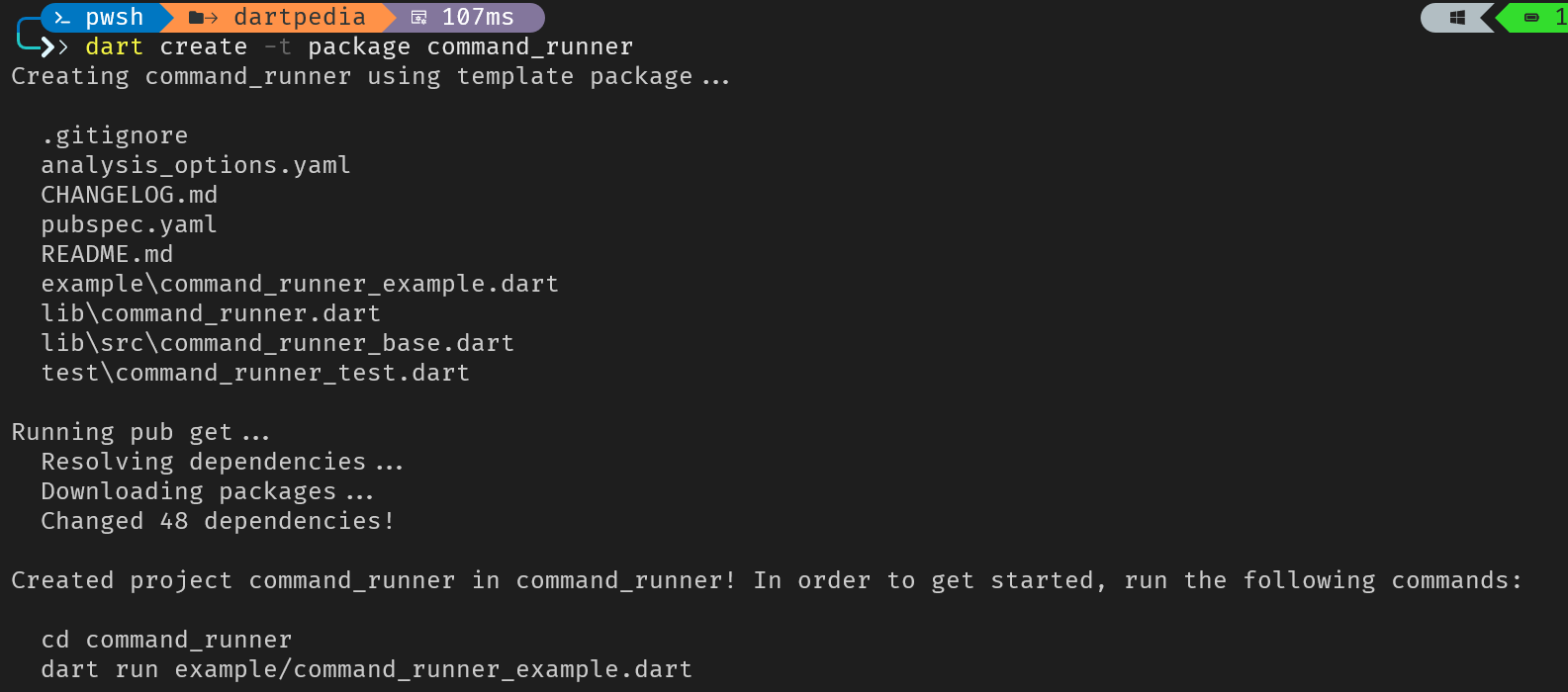
实现 CommandRunner 类 Implement the CommanRunner class
既然你已经有了command_runner包,请先加一个占位的类(之后用于处理CLI参数解析逻辑)
- 打开
command_runner/lib/command_runner.dart文件,移除已有代码并加上下面的代码/// A simple command runner to handle command-line arguments. /// /// More extensive documentation for this library goes here. library; export 'src/command_runner_base.dart'; // TODO: Export any other libraries intended for clients of this package.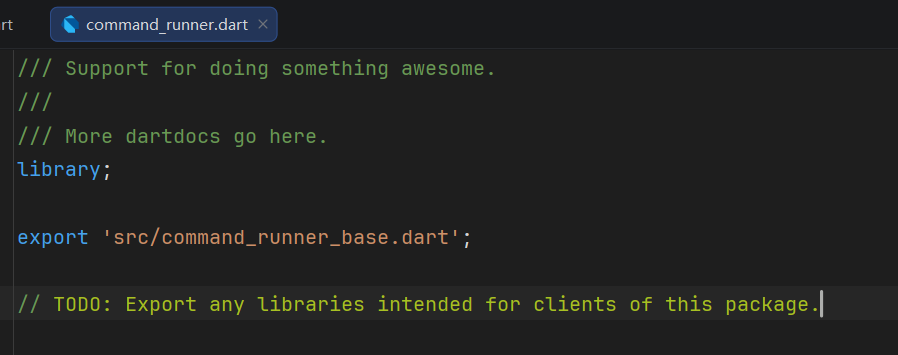
注意上面的代码:library;:将当前文件声明为一个库 library,定义了一个Dart可复用单元的公共接口和库边界export 'src/command_runner_base.dart';:至关重要的一行代码,使得command_runner包的导入者可以访问command_runner_base.dart;没有这一个export关键字,command_runner_base.dart对导入了command_runner包的其他包都会是不可见的,而你也无法在dartpedia程序中使用不可见的内容
- 打开
command_runner/lib/src/command_runner_base.dart文件 - 移除所有占位符,写上下面的代码:注意上面的代码:
class CommandRunner { /// Runs the command-line application logic with the given arguments. Future<void> run(List<String> input) async { print('CommandRunner received arguments: $input'); } }CommandRunneris a class that serves as a simplified stand-in for now. Itsrunmethod currently just prints the arguments it receives. In later chapters, you'll expand this class to handle complex and configurable command parsing.Future<void>is a return type that indicates that this method might perform asynchronous operations, but doesn't return a value.
command_runner/lib/src/command_runner_base.dart的占位代码
// TODO: Put public facing types in this file.

/// Checks if you are awesome. Spoiler: you are.
class Awesome {
  bool get isAwesome => true;
}
添加 command_runner 依赖
现在回到cli项目添加依赖。由于command_runner包就在本地,所以你可以使用路径依赖引入
- 打开
cli/pubspec.yaml - 鉴于
cli包是应用程序级别的包,并且不需要发布到pub.dev,请在name字段下方加上publish_to: none。这能避免不小心发布到托管仓库,并防止添加路径依赖时触发分析器报警name: cli publish_to: none # ... - 找到
dependencies那一段,加上下面的配置:dependencies: http: ^1.3.0 # Keep your existing http dependency command_runner: path: ../command_runner # Points to your local command_runner package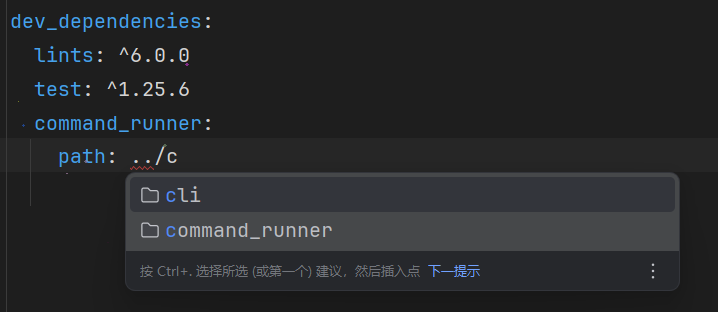
- 运行
dart pub get获取最新依赖
导入并使用command_runner包 Import and use the command_runner package
- 在
cli/bin/cli.dart文件顶部导入自定义包import 'package:command_runner/command_runner.dart'; - 重构
cli包的main函数逻辑,把所有参数解析都改成单独的一行CommandRunner创建语句main函数目前应该是这样的: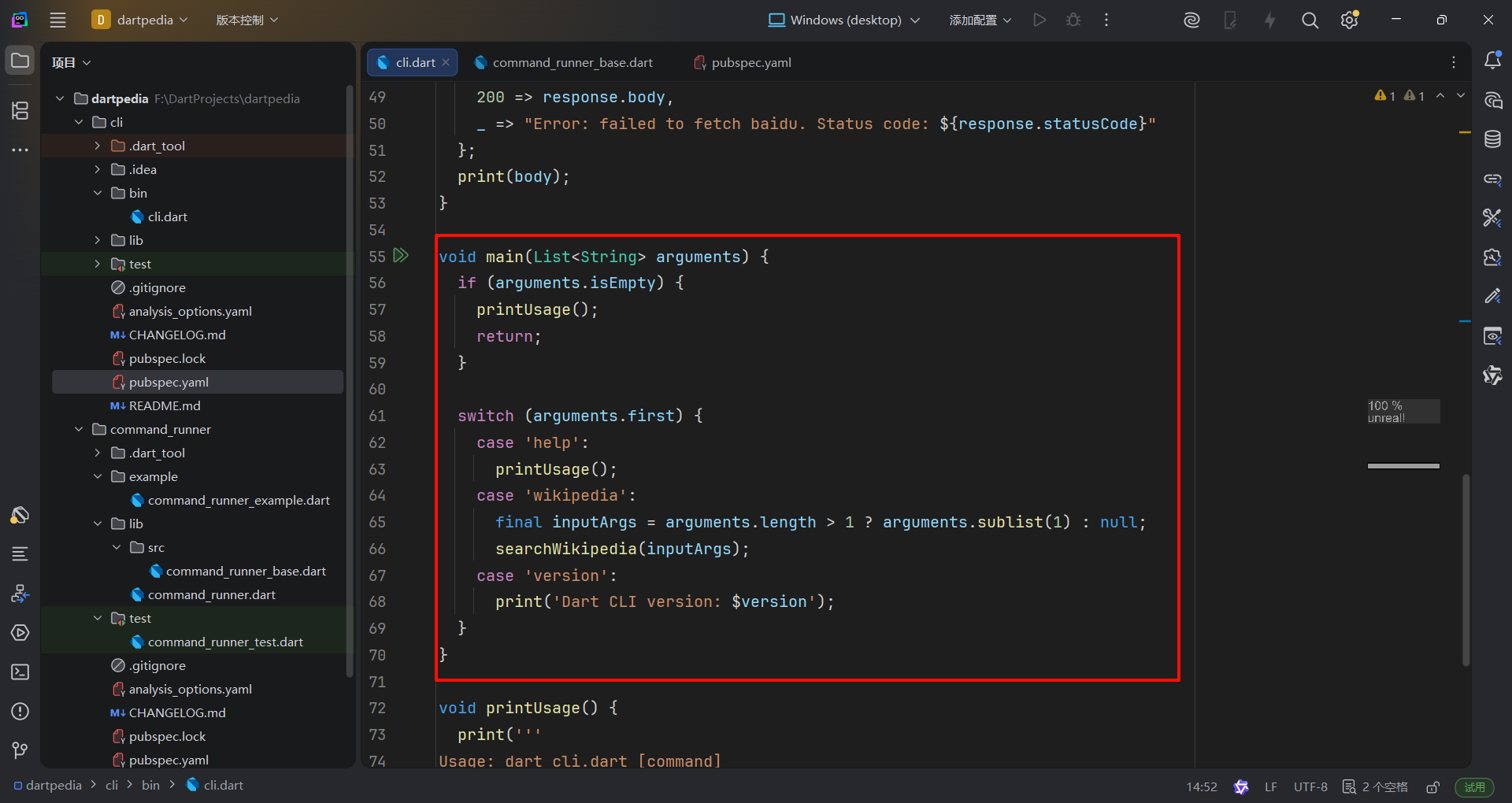
等下应该是这样的:注意上面的代码:import 'dart:io'; import 'package:http/http.dart' as http; import 'package:command_runner/command_runner.dart'; void main(List<String> arguments) async { // main is now async and awaits the runner var runner = CommandRunner(); // Create an instance of your new CommandRunner await runner.run(arguments); // Call its run method, awaiting its Future<void> }void main(List<String> arguments) asyncdirectly addresses the program not exiting cleanly issue from Chapter 3. Notice thatmainis now declaredasync. This is essential becauserunner.run()returns aFuture, andmainmustawaitits completion to ensure the program waits for all asynchronous tasks to finish before exiting.var runner = CommandRunner();creates an instance of theCommandRunnerclass from your newcommand_runnerpackage.await runner.run(arguments);calls therunmethod on theCommandRunnerinstance, passing in the command-line arguments.
并且:
TheprintUsage,searchWikipedia, angetWikipediaArticlefunctions are now completely removed fromcli/bin/cli.dart. Their logic will be redesigned and moved into thecommand_runnerpackage in future chapters, as part of building the full command-line framework.
- 运行程序
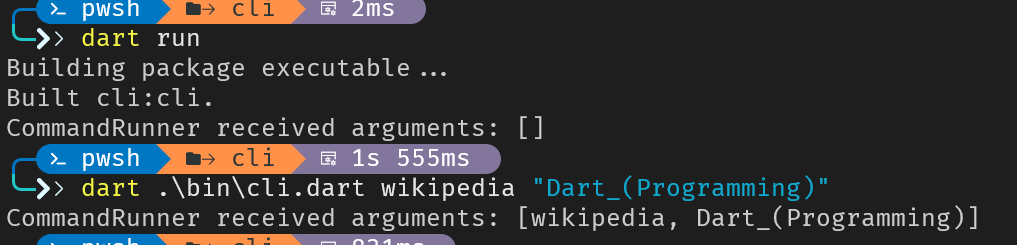
import 'dart:io';
import 'package:http/http.dart' as http;

// 备份
const version = "0.0.1"; // 声明 version 常量

void printUsage() {
  print('''
Usage: dart cli.dart [command]

Commands:
  help                   Prints this usage information  search <ARTICLE_FILE>  Search for an article  version                Prints the version of Dart CLI''');
}

void searchWikipedia(List<String>? arguments) async { // 一处async, caller全部async
  final String? articleTitle; // 修改为可空类型

  if (arguments == null || arguments.isEmpty) {
    print("Please provide an article title.");
    articleTitle = stdin.readLineSync(); // 会返回String?类型的值
    if (articleTitle == null || articleTitle.isEmpty) {
      print("No article title provided. Exiting.");
      return;
    }

  }else {
    articleTitle = arguments.join(" ");
  }

  print('Looking up articles about "$articleTitle". Please wait.');

  final articleContent = await getWikipediaArticle(articleTitle); // 线程会在此处挂起等待IO结束
  print(articleContent);
}

Future<String> getWikipediaArticle(String articleTitle) async {
  // TODO: 使用(异步)http库实现函数, 抓取维基百科的文章
  final url = Uri.https(
    // 参数: authority, 即域名
    "en.wikipedia.org", // 维基百科域名
    // 参数: unencodedPath, 未URL编码过的路径
    "/api/rest_v1/page/summary/$articleTitle", // 文章总结的API端点
  );
  final response = await http.get(url);

  return switch (response.statusCode) {
    200 => response.body, // 当然, 现在仍然还是JSON原始数据
    _ => "Error: failed to fetch article \"$articleTitle\". Status code: ${response.statusCode}"
  };
}
课后练习
export语句的作用是什么
What is the purpose of the
exportstatement in a Dart library?
// To make declarations from other files available through your library's public API.Export lets you re-expose declarations. For example,
export 'src/command.dart';makesCommandaccessible to anyone importing your package.
export允许你二次暴露声明。例如export 'src/command.dart';使得Command对任何导入者都是可用的
如何添加本地目录作为依赖?
How do you add a local package (one on your filesystem) as a dependency?
Use a path dependency like `command_runner: {path: ../command_runner}`.Path dependencies point to a local directory. This is perfect for multi-package projects or developing packages before publishing.
在lib/src/parser.dart已经有代码的情况下,为什么还要在lib/parser.dart里写一遍export 'src/parser.dart';呢
A package has code in
lib/src/parser.dart. Why might you createlib/parser.dartthat just containsexport 'src/parser.dart';?
To allow users to import from a clean path while keeping implementation files organized in `src/`.Users can write
import 'package:mylib/parser.dart';instead of reaching intosrc/. This separates your public API from internal organization.
用Class定义业务关系 Define relationships with classes
A command-line interface (CLI) is defined by the commands, options, and arguments a user can type into their terminal.
By the end of this lesson, you will have built a framework that can understand a command like this:
$ dartpedia help --verbose --command=searchHere is a breakdown of each part:
dartpedia: This is the executable, the name of your application.help: This is a command, an action you want the application to perform.--verbose: This is a flag (a type of option that doesn't take a value), which modifies the command's behavior.--command=search: This is an option that takes a value. Here, theoptionis namedcommand, and its value issearch.
The classes and logic you build in the following tasks create the foundation for parsing and executing commands just like this one.
定义参数层级 Define the argument hierarchy
First, you'll define an
Argumentclass, anOptionclass, and aCommandclass, establishing an inheritance relationship.
首先你需要定义Argument类、Option类和Command类,建立起继承关系
Create the file
command_runner/lib/src/arguments.dart. This file will contain the definitions for yourArgument,Option,Command, andArgResultsclasses.
- 创建
command_runner/src/arguments.dart文件,用于存放Argument、Option、Command和ArgResults类
在command_runner/src/arguments.dart定义Classes
Define an
enumcalledOptionType.
enum OptionType { flag, option }
// flag 表示布尔选项
// option 表示KV选项
Define an
abstract classcalledArgument.
// Paste this new class below the enum you added
abstract class Argument {
  String get name;
  String? get help;

  // In the case of flags, the default value is a bool.
  // In other options and commands, the default value is a String.
  // NB: flags are just Option objects that don't take arguments
  Object? get defaultValue;
  String? get valueHelp;

  String get usage;
}nameis aStringthat uniquely identifies the argument.helpis an optionalStringthat provides a description.defaultValueis of typeObject?because it can be abool(for flags) or aString.valueHelpis an optionalStringto give a hint about the expected value.- The
usagegetter will provide a string showing how to use the argument.
Define a class called
OptionthatextendsArgument
定义一个继承了Argument的Option类
class Option extends Argument {
  Option(
    this.name, {
    required this.type,
    this.help,
    this.abbr,
    this.defaultValue,
    this.valueHelp,
  });

  @override
  final String name;

  final OptionType type;

  @override
  final String? help;

  final String? abbr;

  @override
  final Object? defaultValue;

  @override
  final String? valueHelp;

  @override
  String get usage {
    if (abbr != null) {
      return '-$abbr,--$name: $help';
    }

    return '--$name: $help';
  }
}
The
extendskeyword establishes the inheritance relationship. The class uses the@overrideannotation on its properties and getters to indicate it is replacing the placeholder members defined inArgument.
It also adds
type(using theOptionTypeenum) and an optionalabbrfor a short-form of the option. Theusagegetter is implemented to provide clear instructions to the user.
With
Optioncomplete, you have a specialized type of argument. Next, you'll define theCommandclass, another type of argument that will represent the main actions a user can perform in your CLI application.
Define an
abstract classcalledCommandthat alsoextendsArgument
定义一个继承了Argument的抽象类Command
The
Commandclass will represent an executable action. Since it provides a template for other commands to follow, you'll declare it asabstract.
// Add this class below the Option class
abstract class Command extends Argument {
  // Properties and methods will go here
}
The
abstractkeyword means thatCommandcan't be instantiated directly. It serves as a base class for other classes.
Now, add the core properties. A command needs a
nameanddescription. It also needs a reference back to theCommandRunnerthat executes it.
abstract class Command extends Argument {
  @override
  String get name;

  String get description;

  bool get requiresArgument => false;

  late CommandRunner runner;

  @override
  String? help;

  @override
  String? defaultValue;

  @override
  String? valueHelp;
}
The
runnerproperty is of typeCommandRunner, which you will define later incommand_runner_base.dart.
Notice the
latekeyword. It tells Dart that you promise to initialize this variable before it's ever accessed, allowing you to declare a non-nullable variable without assigning it immediately. This is helpful when a variable's initialization depends on other objects (like a command being added to a runner).
注
注意late关键字,它会告诉Dart:你承诺在访问它之前先初始化这个变量,允许你声明一个非空变量,而不需要立即给它赋值。当一个变量的初始化依赖其他对象时这个关键字会很有用
To make Dart aware of this class, you must import its defining file. Add the following import to the top of
command_runner/lib/src/arguments.dart:
import '../command_runner.dart';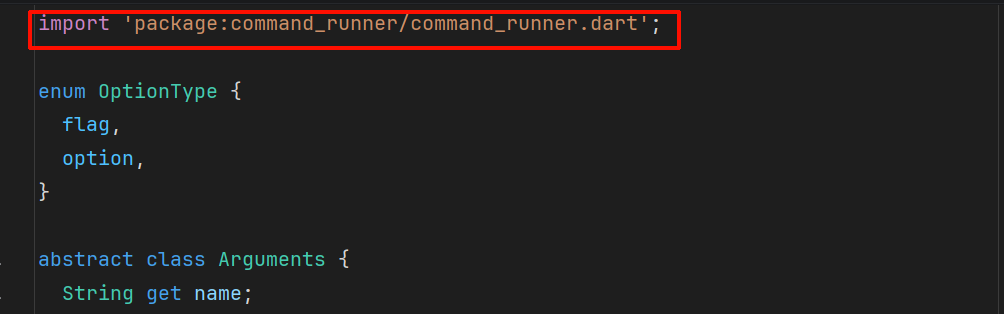
IDEA插件自动给文件当package引入了
Next, you'll give commands their own set of options. To prevent other parts of your code from unexpectedly modifying these options, you'll store them in a private list (
_options). In Dart, prefixing a variable or field name with an underscore (_) makes it library-private.
接下来,你要给指令提供各自的选项集合。为了防止你的其他代码被这些Options的改动所污染,你需要把它们放在一个私有列表中(_options)。在Dart中,字段名称前面加上一个下划线(_)会使其在库级别不可见
Instead of allowing direct access, you expose the options through a read-only unmodifiable view (
UnmodifiableSetView). This approach is a core part of encapsulation: the practice of restricting direct access to a class's internal state to prevent unintended interference.
你不可以直接访问这些私有变量,而应该通过一个只读的、不可修改的视图(UnmodifiableSetView)暴露它们。它是核心库的一个封装:the practice of restricting direct access to a class's internal state to prevent unintended interference
UnmodifiableSetView<E> class
An unmodifiable Set view of another Set.
Methods that could change the set, such as add and remove, must not be called.
final baseSet = <String>{'Mars', 'Mercury', 'Earth', 'Venus'};
final unmodifiableSetView = UnmodifiableSetView(baseSet);

// Remove an element from the original set.
baseSet.remove('Venus');
print(unmodifiableSetView); // {Mars, Mercury, Earth}

unmodifiableSetView.remove('Earth'); // Throws.
Inheritance
ObjectSetBase<E>`UnmodifiableSetView
Implemented types
Available extensions
The
UnmodifiableSetViewclass is part of Dart's core collection library. To use it, you must import that library.
Update the imports at the top of your file to include
dart:collection:
import 'dart:collection'; // New import
import '../command_runner.dart';
注
Dart的import默认会直接把symbol全部导入到当前的命名空间中
以下是其他的导入方法,可避免命名空间污染:
as别名:import 'package:http/http.dart' as http; void main() { http.get(url); }show/hide精准导入:import 'package:math' show Random; // 只把 Random 拿进来 import 'package:utils' hide UnsafeMethod; // 除了这个,其他全要
此外,Dart编译器也会进行静态检查:如果两个库里都有 Logger 这个类且你都导入了:
- 不使用时:编译器相安无事。
- 使用
Logger时:编译器会立即报 Ambiguous import(歧义导入) 错误,强迫你使用as别名来手动消除歧义。
Now, add the
optionslist and getter to yourCommandclass:
abstract class Command extends Argument {
  // ... existing properties ...

  @override
  String? valueHelp;


  // Add the following lines to the bottom of your Command class:

  final List<Option> _options = [];

  UnmodifiableSetView<Option> get options =>
      UnmodifiableSetView(_options.toSet());
}
Because
_optionsis private, external code can't add options directly. To allow commands to define their options, you'll provide two internal helper methods:addFlagandaddOption. These methods will instantiate the appropriateOptionobjects and add them to the private list.
abstract class Command extends Argument {
  // ... existing properties and getters ...

  UnmodifiableSetView<Option> get options =>
      UnmodifiableSetView(_options.toSet());


  // Add the following lines to the bottom of your Command class:

  // A flag is an [Option] that's treated as a boolean.
  void addFlag(String name, {String? help, String? abbr, String? valueHelp}) {
    _options.add(
      Option(
        name,
        help: help,
        abbr: abbr,
        defaultValue: false,
        valueHelp: valueHelp,
        type: OptionType.flag,
      ),
    );
  }

  // An option is an [Option] that takes a value.
  void addOption(
    String name, {
    String? help,
    String? abbr,
    String? defaultValue,
    String? valueHelp,
  }) {
    _options.add(
      Option(
        name,
        help: help,
        abbr: abbr,
        defaultValue: defaultValue,
        valueHelp: valueHelp,
        type: OptionType.option,
      ),
    );
  }
}
Finally, every command must have logic to execute when called. You'll define an abstract
runmethod that concrete commands must implement.
Because a command might be either synchronous or asynchronous, its
runmethod returns theFutureOrtype fromdart:async, allowing it to return either a raw value or aFuture. This is your final required import.
Update the imports at the top of your file to include
dart:async:
import 'dart:async'; // New import
import 'dart:collection';
import '../command_runner.dart';
Now you can add the abstract
runmethod and provide theusageimplementation to complete theCommandclass.
abstract class Command extends Argument {
  // ... existing properties, getters, and methods ...

  void addOption(
    String name, {
    String? help,
    String? abbr,
    String? defaultValue,
    String? valueHelp,
  }) {
    _options.add(
      Option(
        name,
        help: help,
        abbr: abbr,
        defaultValue: defaultValue,
        valueHelp: valueHelp,
        type: OptionType.option,
      ),
    );
  }


  // Add the following lines to the bottom of your Command class:
  FutureOr<Object?> run(ArgResults args);

  @override
  String get usage {
    return '$name:  $description';
  }
}
run(ArgResults args): This abstract method is where a command's logic resides. Concrete subclasses must implement it.usage: This getter provides a simple usage string, combining the command'snameanddescription.
注意
我没找到这个ArgResults是从哪里冒出来的类型
Define a class called
ArgResults.
// Add this class to the end of the file
class ArgResults {
  Command? command;
  String? commandArg;
  Map<Option, Object?> options = {};

  // Returns true if the flag exists.
  bool flag(String name) {
    // Only check flags, because we're sure that flags are booleans.
    for (var option in options.keys.where(
      (option) => option.type == OptionType.flag,
    )) {
      if (option.name == name) {
        return options[option] as bool;
      }
    }
    return false;
  }

  bool hasOption(String name) {
    return options.keys.any((option) => option.name == name);
  }

  ({Option option, Object? input}) getOption(String name) {
    var mapEntry = options.entries.firstWhere(
      (entry) => entry.key.name == name || entry.key.abbr == name,
    );

    return (option: mapEntry.key, input: mapEntry.value);
  }
}- The
flag()method: Iterates over the keys of theoptionsmap, filtering for those wheretypeisOptionType.flag. It uses explicit type casting (as bool) because we know flags are boolean values. - Record types: The
getOptionmethod returns a record type(option: ..., input: ...), which lets you group multiple values together without creating a full class.
Now you have defined the basic structure for handling commands, arguments, and options in your command-line application.
更安全的类型断言方法
- 模式匹配 Dart 3.0+
if (options[option] case bool value) {
  return value;
}is运算符
final val = options[option];
if (val is bool) return val; // 触发“智能类型转换”,之后 val 自动被视为 bool
更新 CommandRunner 类 Update the CommandRunner class
Next, update the
CommandRunnerclass to use the newArgumenthierarchy.
Open the
command_runner/lib/src/command_runner_base.dartfile.
回到command_runner/lib/src/command_runner_base.dart文件
Replace the existing
CommandRunnerclass with the following:
将类的定义换成下面这样:
import 'dart:collection';
import 'dart:io';
import 'arguments.dart';

class CommandRunner {
  final Map<String, Command> _commands = <String, Command>{};

  UnmodifiableSetView<Command> get commands =>
      UnmodifiableSetView<Command>(<Command>{..._commands.values});

  Future<void> run(List<String> input) async {
    final ArgResults results = parse(input);
    if (results.command != null) {
      Object? output = await results.command!.run(results);
      print(output.toString());
    }
  }

  void addCommand(Command command) {
    // TODO: handle error (Commands can't have names that conflict)
    _commands[command.name] = command;
    command.runner = this;
  }

  ArgResults parse(List<String> input) {
    var results = ArgResults();
    results.command = _commands[input.first];
    return results;
  }

  // Returns usage for the executable only.
  // Should be overridden if you aren't using [HelpCommand]
  // or another means of printing usage.

  String get usage {
    final exeFile = Platform.script.path.split('/').last;
    return 'Usage: dart bin/$exeFile <command> [commandArg?] [...options?]';
  }
}
我的版本
class CommandRunner {
  final Map<String, Command> _commands = {};

  UnmodifiableSetView<Command> get commands => UnmodifiableSetView({..._commands.values});

  String get usage {
    final exeFile = switch (Platform.operatingSystem) {
      "windows" => Platform.script.path.split("\\").last,
      _ => Platform.script.path.split("/").last,
    };
    return "Usage: dart bin/$exeFile <command> [commandArg?] [...options?]";
  }

  void addCommand(Command command) {
    _commands[command.name] = command;
    command.runner = this;
  }

  ArgResults parse(List<String> input) {
    var results = ArgResults();
    results.command = _commands[input.first];
    return results;
  }

  Future<void> run(List<String> args) async {
    final ArgResults results = parse(args);

    var output = await results.command?.run(results);
    print(output.toString());
  }
}
This updated class incorporates your new object-oriented structure. It uses the spread operator (
...) in thecommandsgetter to unpack the values of the_commandsmap into a new set. This ensures the return value is a copy, preventing external code from modifying your data.
In the
run()method,results.command!.run(...)uses the not-null assertion operator (!) to tell the Dart analyzer that you are sureresults.commandis not null. It's safe here because you just checked if it wasn't null in the precedingifstatement.
Here are the key implementation details:
_commandsmap: A private map linking command names to their concreteCommandobject instances. Its values are exposed via anUnmodifiableSetView.addCommand(): Registers a command and assignsthisrunner to the command'srunnerproperty. This fulfills thelateinitialization promise made earlier in theCommandclass.parse()andrun(): Evaluates the user's input, identifies the correspondingCommandfrom the map, and usesawaitto call the command'srun()method.
Open
command_runner/lib/command_runner.dart, and add the following exports:
/// Support for doing something awesome.
///
/// More dartdocs go here.
library;

export 'src/arguments.dart';
export 'src/command_runner_base.dart';
export 'src/help_command.dart';

// TODO: Export any libraries intended for clients of this package.
创建帮助指令 Create a HelperCommand
Create the file
command_runner/lib/src/help_command.dart
Add the following code to
command_runner/lib/src/help_command.dart:
import 'dart:async';

import 'arguments.dart';

// Prints program and argument usage.
//
// When given a command as an argument, it prints the usage of
// that command only, including its options and other details.
// When the flag 'verbose' is set, it prints options and details for all commands.
//
// This command isn't automatically added to CommandRunner instances.
// Packages users should add it themselves with [CommandRunner.addCommand],
// or create their own command that prints usage.

class HelpCommand extends Command {
  HelpCommand() {
    addFlag(
      'verbose',
      abbr: 'v',
      help: 'When true, this command will print each command and its options.',
    );
    addOption(
      'command',
      abbr: 'c',
      help:
          "When a command is passed as an argument, prints only that command's verbose usage.",
    );
  }
  @override
  String get name => 'help';

  @override
  String get description => 'Prints usage information to the command line.';

  @override
  String? get help => 'Prints this usage information';

  @override
  FutureOr<Object?> run(ArgResults args) async {
    var usage = runner.usage;
    for (var command in runner.commands) {
      usage += '\n ${command.usage}';
    }

    return usage;
  }
}
The
HelpCommandclass demonstrates the benefits of inheritance. It uses its parent's methods to set up its options, overrides the abstractrunmethod, and accesses therunnerstate to generate the usage message.
更新cli.dart, 调用新的CommandRunner类 Update cli.dart to use the new CommandRunner
Modify
cli/bin/cli.dartto use the newCommandRunnerandHelpCommand.
- Open the
cli/bin/cli.dartfile. - Replace the existing code with the following:
import 'package:command_runner/command_runner.dart';

const version = '0.0.1';

void main(List<String> arguments) {
  var commandRunner = CommandRunner()..addCommand(HelpCommand());
  commandRunner.run(arguments);
}
This code creates a
CommandRunnerinstance, adds theHelpCommandto it using a method cascade (..addCommand) which lets you call a method on an object directly after creating it, and then runs the command runner with the command-line arguments.
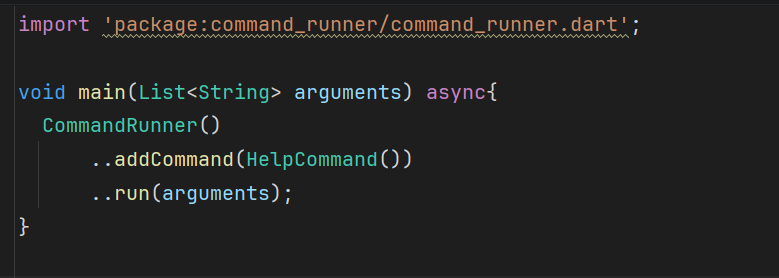
可以连中间变量commandRunner都不创建
运行程序 Run the application
dart run bin/cli.dart help
课后练习
@override注解的作用是什么
In the
Optionclass, what is the purpose of the@overrideannotation?
To provide a specific implementation for a method or property defined in a parent class.
@overrideindicates that you're providing a concrete implementation for an abstract member or replacing an inherited implementation.
抽象类与常规类的不同是什么
What is the difference between an
abstractclass and a regular class in Dart?
An `abstract` class can't be instantiated directly.Abstract classes serve as blueprints that other classes extend. You can't create instances of an abstract class directly.
你什么时候应该使用枚举而不是类或常量的集合呢?
When should you use an
enuminstead of a class or a set of constants?
When you need a type that can only be one of a fixed, known set of values.Enums are perfect when you have a closed set of options, like
flagversusoption, days of the week, or status codes. The compiler ensures you handle all cases.