从零开始的Fyne(四):对话框组件
2026/1/12大约 11 分钟
对话框组件
标准组件套具
调色器/Color
描述
允许用户从标准色彩集合(或更高级的色彩空间)中选择一种颜色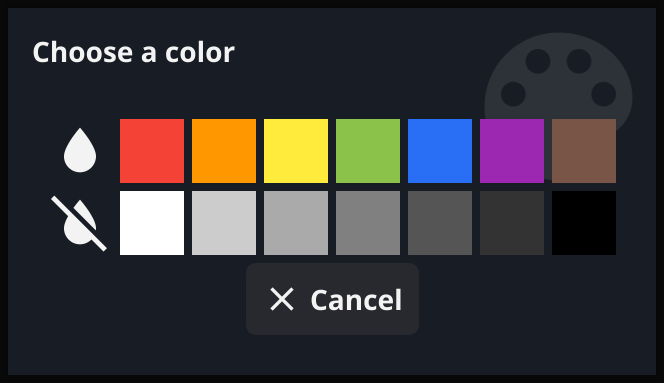
源码
// ColorPickerDialog is a simple dialog window that displays a color picker.//
// Since: 1.4
type ColorPickerDialog struct {
    *dialog
    Advanced bool
    color    color.Color
    callback func(c color.Color)
    advanced *widget.Accordion
    picker   *colorAdvancedPicker
}

// NewColorPicker creates a color dialog and returns the handle.// Using the returned type you should call Show() and then set its color through SetColor().
// The callback is triggered when the user selects a color.
//
// Since: 1.4
func NewColorPicker(title, message string, callback func(c color.Color), parent fyne.Window) *ColorPickerDialog {
    return &ColorPickerDialog{
       dialog:   newDialog(title, message, theme.ColorPaletteIcon(), nil /*cancel?*/, parent),
       color:    theme.Color(theme.ColorNamePrimary),
       callback: callback,
    }
}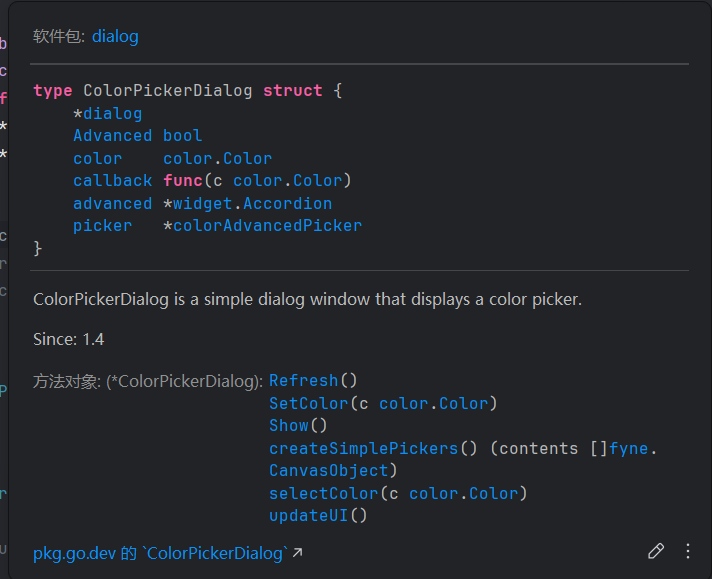
- 注意其中的
show方法,ColorPicker取色器不是一个fyne.CanvasObject,不能被渲染,而需要调用show直接渲染整个取色器容器
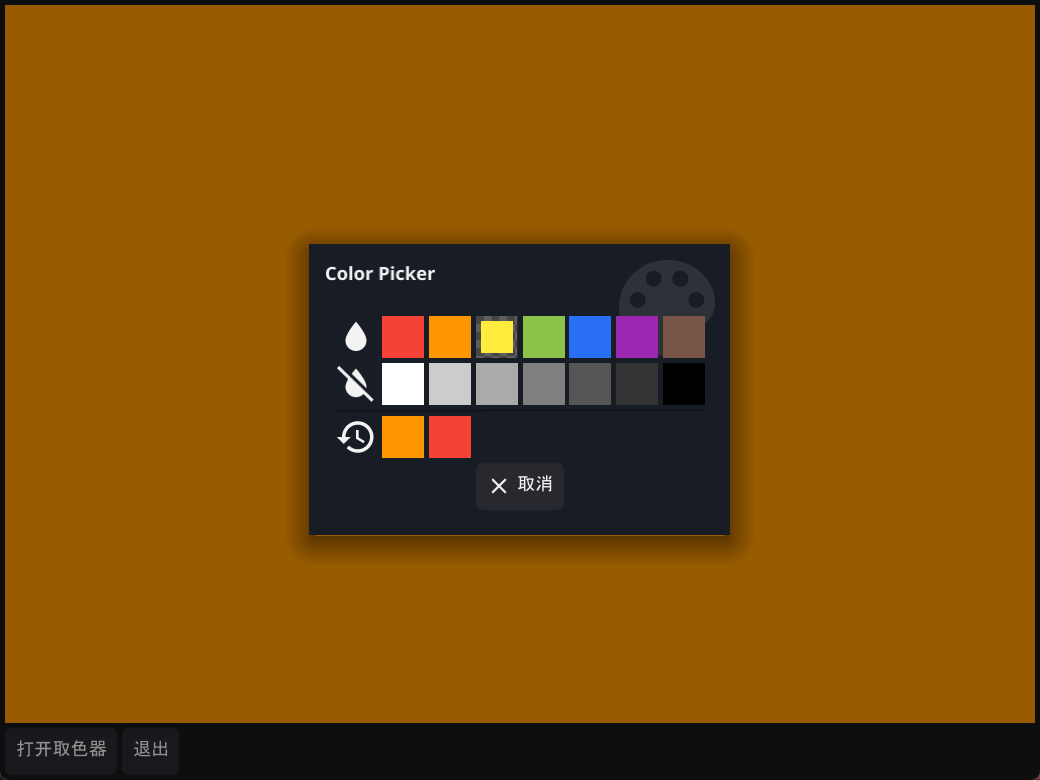
代码示例
func SetContentToColorSet(win fyne.Window, app fyne.App) {
    quit := tools.CreateQuitButton(app)

    coloredRect := canvas.NewRectangle(color.White)
    colorBoard := dialog.NewColorPicker("Color Picker", "Choose a color",
       func(c color.Color) {
          log.Printf("Color: %v", c)
          coloredRect.FillColor = c
          coloredRect.Refresh()
       }, win)
    openColorBoard := widget.NewButton("打开取色器", func() {
       colorBoard.Show()
    })

    win.SetContent(container.NewBorder(
       // top
       nil,
       //  bottom
       container.NewHBox(openColorBoard, quit),
       // left
       nil,
       // right
       nil,
       // center
       coloredRect,
    ))
}
演示
确认框/Confirm
描述
确认是否执行某项动作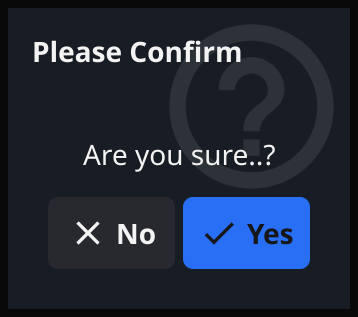
源码
// ConfirmDialog is like the standard Dialog but with an additional confirmation buttontype ConfirmDialog struct {
    *dialog

    confirm *widget.Button
}


// NewConfirm creates a dialog over the specified window for user confirmation.
// The title is used for the dialog window and message is the content.
// The callback is executed when the user decides. After creation you should call Show().
func NewConfirm(title, message string, callback func(bool), parent fyne.Window) *ConfirmDialog {
    d := newTextDialog(title, message, theme.QuestionIcon(), parent)
    d.callback = callback

    d.dismiss = &widget.Button{
       Text: lang.L("No"), Icon: theme.CancelIcon(),
       OnTapped: d.Hide,
    }
    confirm := &widget.Button{
       Text: lang.L("Yes"), Icon: theme.ConfirmIcon(), Importance: widget.HighImportance,
       OnTapped: func() {
          d.hideWithResponse(true)
       },
    }
    d.create(container.NewGridWithColumns(2, d.dismiss, confirm))

    return &ConfirmDialog{dialog: d, confirm: confirm}
}

// ShowConfirm shows a dialog over the specified window for a user
// confirmation. The title is used for the dialog window and message is the content.
// The callback is executed when the user decides.
func ShowConfirm(title, message string, callback func(bool), parent fyne.Window) {
    NewConfirm(title, message, callback, parent).Show()
}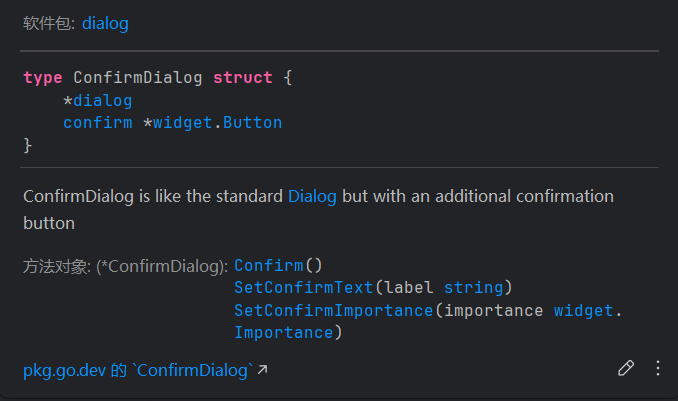
显然ConfirmDialog是Button组件的一个封装
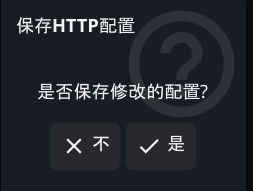
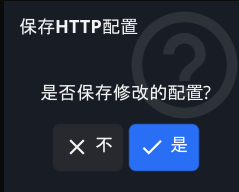
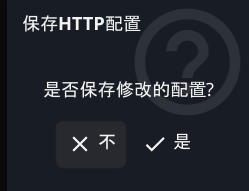
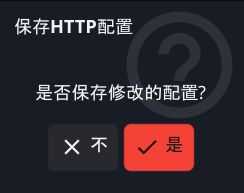
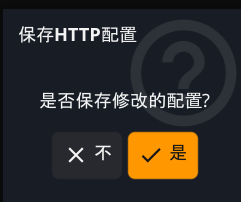
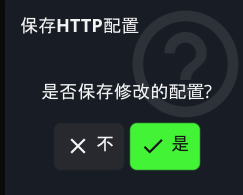
注意到其中的SetConfirmImportance方法(widget.Importance是基于int的新类型)可以设置消息确认框的样式
// Importance represents how prominent the widget should appear//
// Since: 2.4
type Importance int

const (
	// MediumImportance applies a standard appearance.
	MediumImportance Importance = iota
	// HighImportance applies a prominent appearance.
	HighImportance
	// LowImportance applies a subtle appearance.
	LowImportance

	// DangerImportance applies an error theme to the widget.
	//
	// Since: 2.3
	DangerImportance
	// WarningImportance applies a warning theme to the widget.
	//
	// Since: 2.3
	WarningImportance

	// SuccessImportance applies a success theme to the widget.
	//
	// Since: 2.4
	SuccessImportance
)- 中优先级
- 高优先级
- 低优先级
- 危险
- 警告
- 成功
代码示例
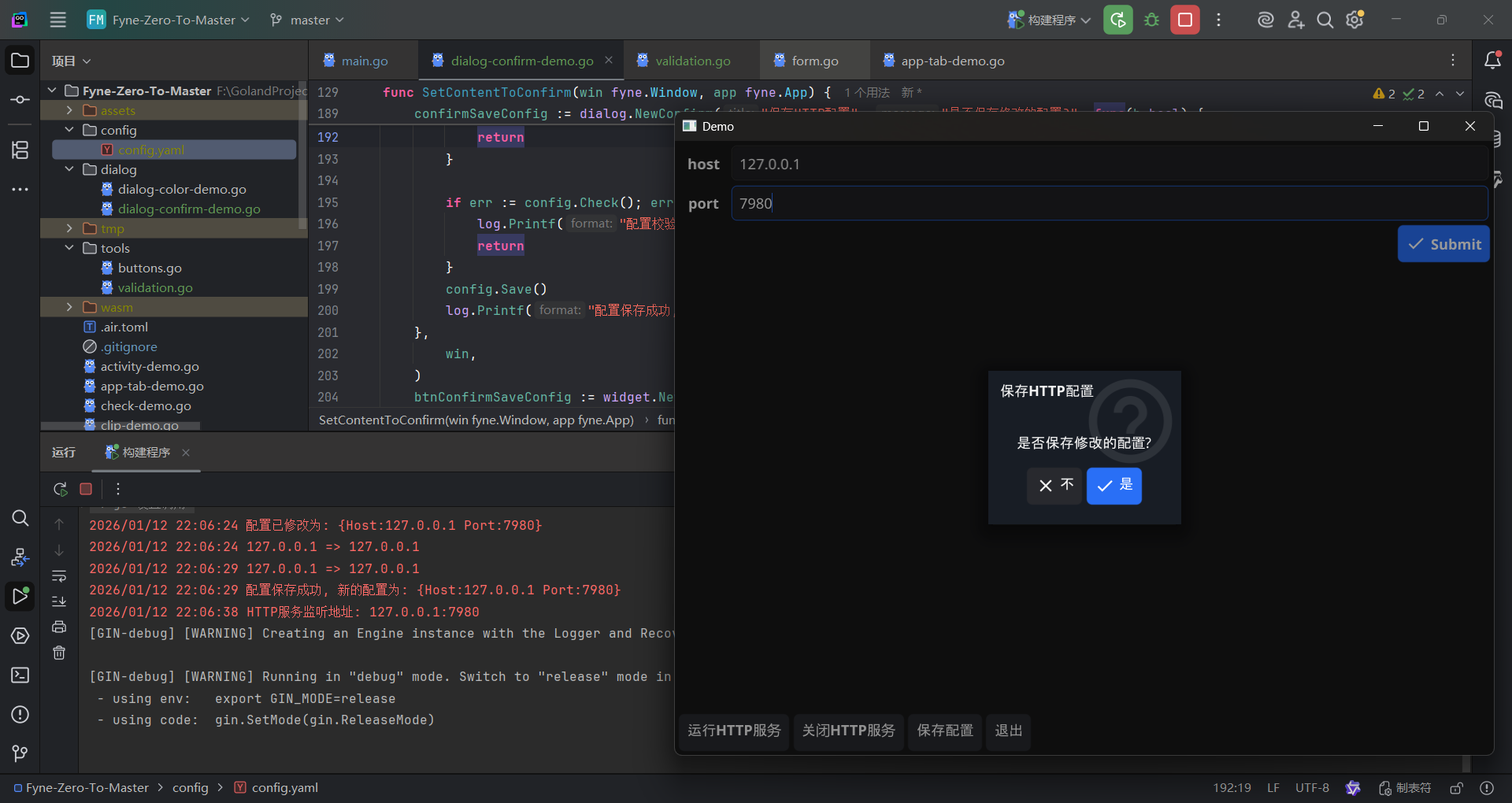
- 演示如何保存Http监听地址配置
const configFileName = "config"
const configFileDir = "./config"
const configFileExt = "yaml"

var (
    errEmptyHost   = errors.New("host不能为空")
    errEmptyPort   = errors.New("port不能为空")
    errInvalidHost = errors.New("host格式错误")
    errInvalidPort = errors.New("port格式错误")
)

type httpConfig struct {
    Host string `mapstructure:"host" yaml:"host" default:"localhost"`
    Port string `mapstructure:"port" yaml:"port" default:"8080"`
}

func (config *httpConfig) SaveFromMap(configInMap map[string]string) {
    if _, exists := configInMap["host"]; exists {
       config.Host = configInMap["host"]
    }
    if _, exists := configInMap["port"]; exists {
       config.Port = configInMap["port"]
    }
}
func (config *httpConfig) Save() {
    configBytes, err := yaml.Marshal(config)
    if err != nil {
       log.Fatalf("序列化配置文件失败: %v", err)
    }

    filePath := fmt.Sprintf("%s/%s.%s", configFileDir, configFileName, configFileExt)
    filePath, err = filepath.Abs(filePath)
    if err != nil {
       log.Fatalf("获取配置文件路径失败: %v", err)
    }

    err = os.WriteFile(filePath, configBytes, 0644)
    if err != nil {
       log.Fatalf("保存配置文件失败: %v", err)
    }
}
func (config *httpConfig) Check() error {
    switch {
    case config.Host == "":
       return errEmptyHost
    case config.Port == "":
       return errEmptyPort
    case !tools.IsHost(config.Host):
       return errInvalidHost
    case !tools.IsTCPPort(config.Port):
       return errInvalidPort
    default:
       return nil
    }
}

func loadHttpConfig() (map[string]string, httpConfig, error) {
    viper.SetConfigName(configFileName)
    viper.SetConfigType(configFileExt)
    viper.AddConfigPath(configFileDir)

    var config httpConfig
    if err := defaults.Set(&config); err != nil {
       log.Fatalf("配置默认值设置失败: %v", err)
    }

    if err := viper.ReadInConfig(); err != nil {
       log.Printf("配置文件读取失败: %v", err)
    }
    if err := viper.Unmarshal(&config); err != nil {
       log.Printf("配置文件解析失败: %v", err)
    }

    configBytes, _ := yaml.Marshal(config)
    configInMap := make(map[string]string)
    _ = yaml.Unmarshal(configBytes, &configInMap)
    return configInMap, config, nil
}
func runGinHttp(quit chan os.Signal, config httpConfig) {
    r := gin.Default()
    srv := &http.Server{
       Addr:    fmt.Sprintf("%s:%s", config.Host, config.Port),
       Handler: r,
    }

    go func() {
       log.Printf("HTTP服务监听地址: %s\n", srv.Addr)
       if err := srv.ListenAndServe(); err != nil && !errors.Is(err, http.ErrServerClosed) {
          log.Fatalf("HTTP服务启动异常: %s\n", err)
       }
    }()

    <-quit
    if err := srv.Shutdown(context.Background()); err != nil {
       log.Fatalf("HTTP服务关闭异常: %s\n", err)
    }
    log.Println("HTTP服务已关闭")
}

var HttpQuit = make(chan os.Signal, 1)
var HttpProcesses int

func SetContentToConfirm(win fyne.Window, app fyne.App) {
    quit := tools.CreateQuitButton(app)

    // 加载并管理HTTP配置
    configInMap, config, _ := loadHttpConfig()
    configFormItems := make([]*widget.FormItem, len(configInMap))
    itemIndex := 0
    for k, _ := range configInMap {
       configFormItems[itemIndex] = widget.NewFormItem(k, widget.NewEntry())
       configFormItems[itemIndex].Text = k
       itemIndex++
    }
    configForm := widget.NewForm(configFormItems...)
    configForm.OnSubmit = func() {
       for k, _ := range configInMap {
          for _, item := range configForm.Items {
             if item.Text == k {
                targetText := item.Widget.(*widget.Entry).Text
                if strings.HasPrefix(targetText, "\"") && strings.HasSuffix(targetText, "\"") {
                   targetText, _ = strconv.Unquote(targetText)
                }
                configInMap[k] = targetText
             }
          }
       }
       config.SaveFromMap(configInMap)
       log.Printf("配置已修改为: %+v", config)
       if err := config.Check(); err != nil {
          log.Printf("配置校验不通过: %v", err)
          return
       }
       // config.Save()
    }

    // 管理HTTP服务

    defer func() {
       signal.Stop(HttpQuit)
       // close(httpQuit)
    }()
    signal.Notify(HttpQuit, syscall.SIGINT, syscall.SIGTERM)
    runHttpButton := widget.NewButton("运行HTTP服务", func() {
       if HttpProcesses >= 1 {
          log.Println("HTTP服务已启动, 请勿重复启动")
          return
       }
       HttpProcesses++
       go func() {
          runGinHttp(HttpQuit, config)
       }()
    })
    closeHttpButton := widget.NewButton("关闭HTTP服务", func() {
       if HttpProcesses <= 0 {
          log.Println("HTTP服务未启动")
          return
       }
       HttpQuit <- syscall.SIGTERM
       HttpProcesses--
    })

    confirmSaveConfig := dialog.NewConfirm("保存HTTP配置", "是否保存修改的配置?", func(b bool) {
       if !b {
          log.Printf("已取消配置保存操作")
          return
       }

       if err := config.Check(); err != nil {
          log.Printf("配置校验不通过: %v", err)
          return
       }
       config.Save()
       log.Printf("配置保存成功, 新的配置为: %+v", config)
    },
       win,
    )
    btnConfirmSaveConfig := widget.NewButton("保存配置", func() {
       confirmSaveConfig.Show()
    })

    win.SetContent(container.NewBorder(
       // top
       nil,
       //  bottom
       container.NewHBox(runHttpButton, closeHttpButton, btnConfirmSaveConfig, quit),
       // left
       nil,
       // right
       nil,
       // center
       configForm,
    ))
}
演示
打开文件/FileOpen
描述
显示一个窗口,询问用户选择哪个文件用于后续操作。实际窗口样式取决于用户当前的操作系统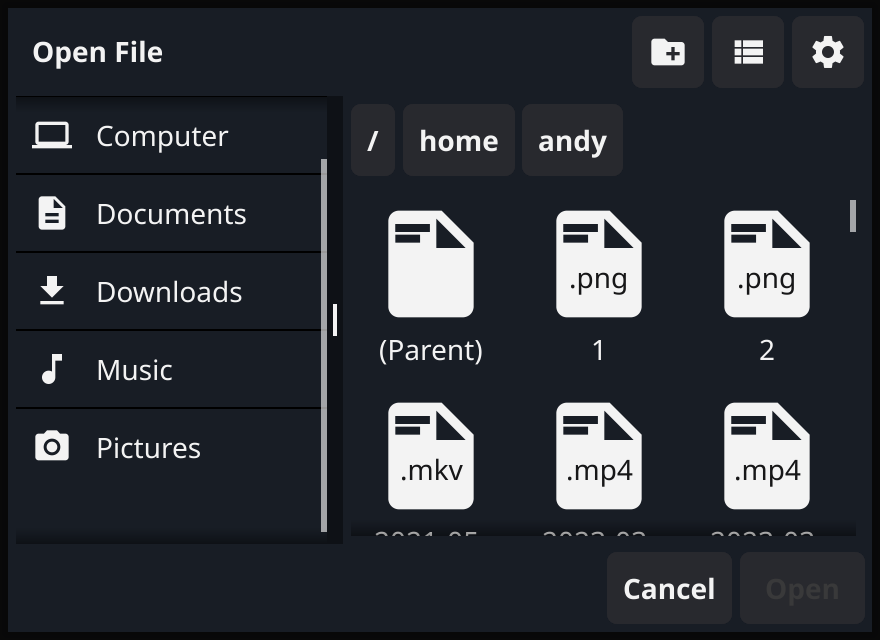
源码
type fileDialog struct {
    file             *FileDialog  // 我引用了谁?
    fileName         textWidget
    title            *widget.Label
    dismiss          *widget.Button
    open             *widget.Button
    breadcrumb       *fyne.Container
    breadcrumbScroll *container.Scroll
    files            fileDialogPanel
    filesScroll      *container.Scroll
    favorites        []favoriteItem
    favoritesList    *widget.List
    showHidden       bool

    view ViewLayout

    data []fyne.URI

    win        *widget.PopUp
    selected   fyne.URI
    selectedID int
    dir        fyne.ListableURI
    // this will be the initial filename in a FileDialog in save mode    initialFileName string

    toggleViewButton *widget.Button
}

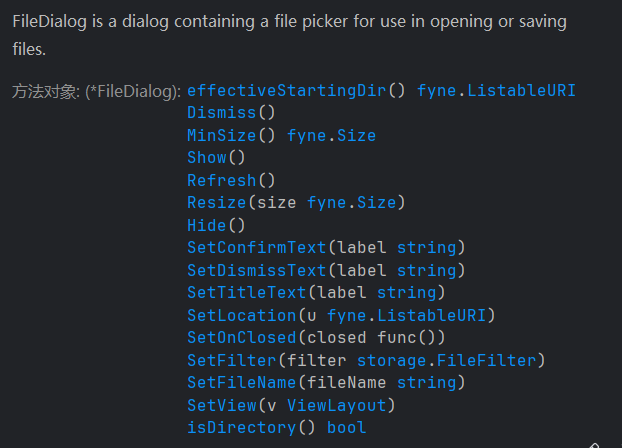
// FileDialog is a dialog containing a file picker for use in opening or saving files.
type FileDialog struct {
    callback         any
    onClosedCallback func(bool)
    parent           fyne.Window
    dialog           *fileDialog   // 谁又引用了我

    titleText                string
    confirmText, dismissText string
    desiredSize              fyne.Size
    filter                   storage.FileFilter
    save                     bool
    // this will be applied to dialog.dir when it's loaded
    startingLocation fyne.ListableURI
    // this will be the initial filename in a FileDialog in save mode    initialFileName string
    // this will be the initial view in a FileDialog
    initialView ViewLayout
}fileDialog负责渲染,FileDialog负责用户交互逻辑
// NewFileOpen creates a file dialog allowing the user to choose a file to open.
//
// The callback function will run when the dialog closes and provide a reader for the chosen file.
// The reader will be nil when the user cancels or when nothing is selected.
// When the reader isn't nil it must be closed by the callback.
//
// The dialog will appear over the window specified when Show() is called.
func NewFileOpen(callback func(reader fyne.URIReadCloser, err error), parent fyne.Window) *FileDialog {
	dialog := &FileDialog{callback: callback, parent: parent}
	return dialog
}

// NewFileSave creates a file dialog allowing the user to choose a file to save
// to (new or overwrite). If the user chooses an existing file they will be
// asked if they are sure.
//
// The callback function will run when the dialog closes and provide a writer for the chosen file.
// The writer will be nil when the user cancels or when nothing is selected.
// When the writer isn't nil it must be closed by the callback.
//
// The dialog will appear over the window specified when Show() is called.
func NewFileSave(callback func(writer fyne.URIWriteCloser, err error), parent fyne.Window) *FileDialog {
	dialog := &FileDialog{callback: callback, parent: parent, save: true}
	return dialog
}
代码示例
func readLimitedBytes(file fyne.URIReadCloser, limit int) []byte {
    data := make([]byte, limit)
    if n, err := file.Read(data); err != nil {
       log.Printf("Error reading file: %v", err)
    } else {
       log.Printf("Read %d bytes from file", n)
    }
    return data
}

func SetContentToFileOpen(win fyne.Window, app fyne.App) {
    quit := tools.CreateQuitButtonWithConfirm(win, app)

    fileOpenWin := dialog.NewFileOpen(func(reader fyne.URIReadCloser, err error) {
       if reader == nil {
          // 即使不选择文件直接取消/关闭窗口也会触发该回调函数, 因此需要防护好传参为nil的情况
          return
       }

       // 记得回收资源, FileOpen本质上就是创建一个指向目标文件的ioReader对象
       defer func(reader fyne.URIReadCloser) {
          err := reader.Close()
          if err != nil {
             log.Fatalf("回收文件描述符时发生异常: %v", err)
          }
       }(reader)

       log.Printf("File Opened: %v", reader.URI())

       data := readLimitedBytes(reader, 1024)
       fmt.Printf("%v\n", string(data))
    }, win)
    openFilePickerWin := widget.NewButton("浏览文件", func() {
       fileOpenWin.Show()
    })

    win.SetContent(container.NewBorder(
       // top
       nil,
       //  bottom
       container.NewHBox(openFilePickerWin, quit),
       // left
       nil,
       // right
       nil,
       // center
       nil,
    ))
}
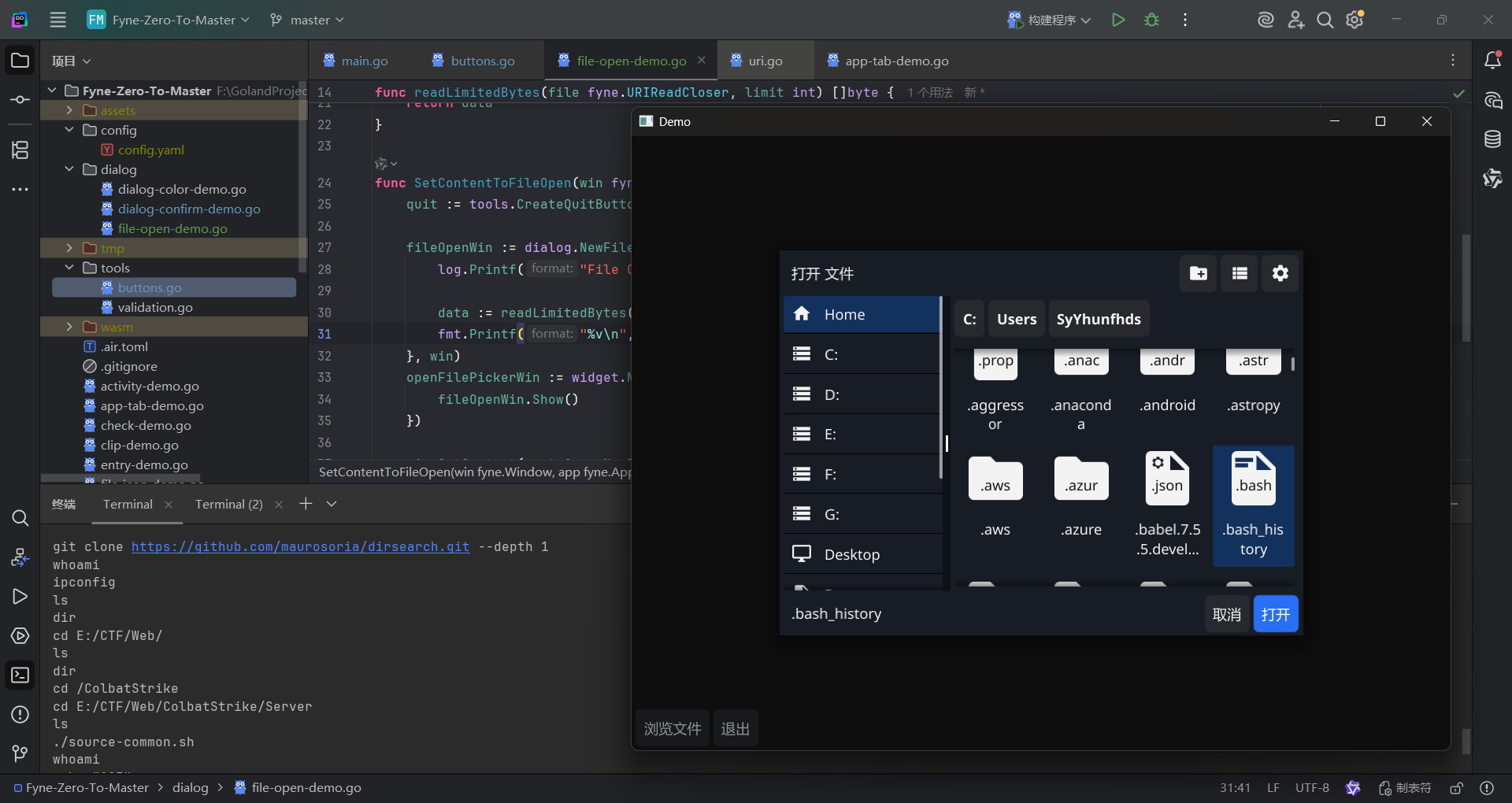
演示
表单/Form
描述
带输入框的对话确认框,可以自定义校验行为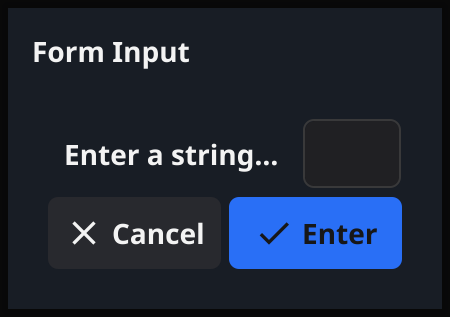
源码
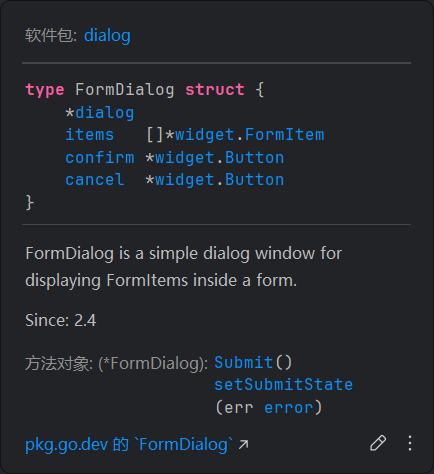
// FormDialog is a simple dialog window for displaying FormItems inside a form.//
// Since: 2.4
type FormDialog struct {
    *dialog
    items   []*widget.FormItem
    confirm *widget.Button
    cancel  *widget.Button
}
// NewForm creates and returns a dialog over the specified application using
// the provided FormItems. The cancel button will have the dismiss text set and the confirm button will
// use the confirm text. The response callback is called on user action after validation passes.
// If any Validatable widget reports that validation has failed, then the confirm
// button will be disabled. The initial state of the confirm button will reflect the initial
// validation state of the items added to the form dialog.
//
// Since: 2.0
func NewForm(title, confirm, dismiss string, items []*widget.FormItem, callback func(bool), parent fyne.Window) *FormDialog {
	form := widget.NewForm(items...)

	d := &dialog{content: form, callback: callback, title: title, parent: parent}
	d.dismiss = &widget.Button{
		Text: dismiss, Icon: theme.CancelIcon(),
		OnTapped: d.Hide,
	}
	confirmBtn := &widget.Button{
		Text: confirm, Icon: theme.ConfirmIcon(), Importance: widget.HighImportance,
		OnTapped: func() { d.hideWithResponse(true) },
	}
	formDialog := &FormDialog{
		dialog:  d,
		items:   items,
		confirm: confirmBtn,
		cancel:  d.dismiss,
	}

	formDialog.setSubmitState(form.Validate())
	form.SetOnValidationChanged(formDialog.setSubmitState)

	d.create(container.NewGridWithColumns(2, d.dismiss, confirmBtn))
	return formDialog
}

// ShowForm shows a dialog over the specified application using
// the provided FormItems. The cancel button will have the dismiss text set and the confirm button will
// use the confirm text. The response callback is called on user action after validation passes.
// If any Validatable widget reports that validation has failed, then the confirm
// button will be disabled. The initial state of the confirm button will reflect the initial
// validation state of the items added to the form dialog.
// The MinSize() of the CanvasObject passed will be used to set the size of the window.
//
// Since: 2.0
func ShowForm(title, confirm, dismiss string, content []*widget.FormItem, callback func(bool), parent fyne.Window) {
	NewForm(title, confirm, dismiss, content, callback, parent).Show()
}
代码示例
formItems在Form中是不可导出的,要设置具体的校验行为需要先定义好Entry组件再传进去
func loadFlag() (flag string) {
    filename := "./secrets/flag.txt"
    flagBytes, _ := os.ReadFile(filename)

    return string(flagBytes)
}

func SetContentToForm(win fyne.Window, app fyne.App) {
    quit := tools.CreateQuitButtonWithConfirm(win, app)

    flag := loadFlag()
    // fmt.Printf("%v\n", flag)
    flagDialog := dialog.NewConfirm("flag", flag, func(b bool) {
    }, win)
    flagDialog.SetConfirmImportance(widget.SuccessImportance)
    flagDialog.SetConfirmText("我知道了")
    flagDialog.SetDismissText("没意思")

    usernameEntry := widget.NewEntry()
    usernameEntry.Validator = func(s string) error {
       switch {
       case s == "":
          return fmt.Errorf("用户名不能为空")
       case s == "admin":
          return nil
       default:
          return fmt.Errorf("用户名错误")
       }
    }
    passwdEntry := widget.NewPasswordEntry()
    passwdEntry.Validator = func(s string) error {
       switch {
       case s == "":
          return fmt.Errorf("密码不能为空")
       case s == "admin":
          return nil
       default:
          return fmt.Errorf("密码错误")
       }
    }
    inputErrorConfirm := dialog.NewConfirm("输入错误", "请检查输入", func(b bool) {
    }, win)
    inputErrorConfirm.SetConfirmImportance(widget.WarningImportance)
    dialogForm := dialog.NewForm("登录", "验证身份", "我再想想", []*widget.FormItem{
       widget.NewFormItem("用户名", usernameEntry), // dialog自动监听表单项的状态, 只要校验不通过, 确认按钮就会被disable
       widget.NewFormItem("密码", passwdEntry),
    }, func(b bool) {
       if !b {
          return
       }

       if usernameEntry.Text != "admin" || passwdEntry.Text != "admin" {
          inputErrorConfirm.Show()
          return
       }

       flagDialog.Show()
    }, win)
    openDialogForm := widget.NewButton("看看flag", func() {
       dialogForm.Show()
    })

    win.SetContent(container.NewBorder(
       // top
       nil,
       //  bottom
       container.NewHBox(quit),
       // left
       container.NewVBox(openDialogForm),
       // right
       nil,
       // center
       nil,
    ))
}
演示
告示框/Information
描述
简单地给用户展示一些信息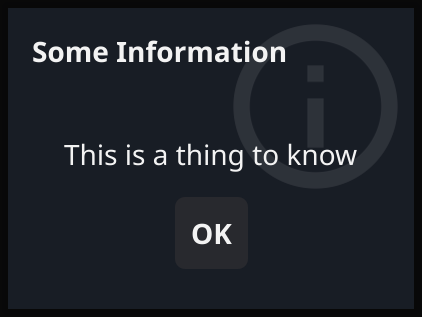
源码
func createInformationDialog(title, message string, icon fyne.Resource, parent fyne.Window) Dialog {
    d := newTextDialog(title, message, icon, parent)
    d.dismiss = &widget.Button{
       Text:     lang.L("OK"),
       OnTapped: d.Hide,
    }
    d.create(container.NewGridWithColumns(1, d.dismiss))
    return d
}

// NewInformation creates a dialog over the specified window for user information.// The title is used for the dialog window and message is the content.
// After creation you should call Show().
func NewInformation(title, message string, parent fyne.Window) Dialog {
    return createInformationDialog(title, message, theme.InfoIcon(), parent)
}

// ShowInformation shows a dialog over the specified window for user information.// The title is used for the dialog window and message is the content.
func ShowInformation(title, message string, parent fyne.Window) {
    NewInformation(title, message, parent).Show()
}

// NewError creates a dialog over the specified window for an application error.// The message is extracted from the provided error (should not be nil).
// After creation you should call Show().
func NewError(err error, parent fyne.Window) Dialog {
    dialogText := err.Error()
    r, size := utf8.DecodeRuneInString(dialogText)
    if r != utf8.RuneError {
       dialogText = string(unicode.ToUpper(r)) + dialogText[size:]
    }
    return createInformationDialog(lang.L("Error"), dialogText, theme.ErrorIcon(), parent)
}

// ShowError shows a dialog over the specified window for an application error.// The message is extracted from the provided error (should not be nil).
func ShowError(err error, parent fyne.Window) {
    NewError(err, parent).Show()
}
代码示例
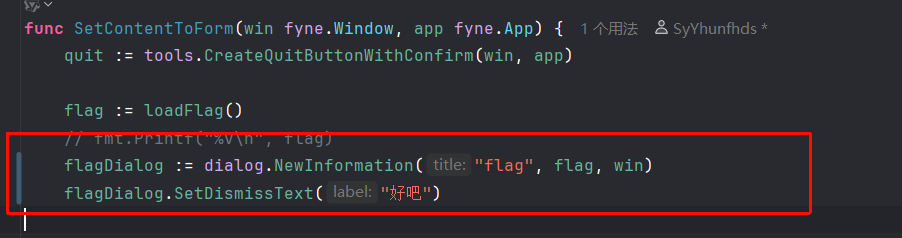
- 直接改之前的
演示
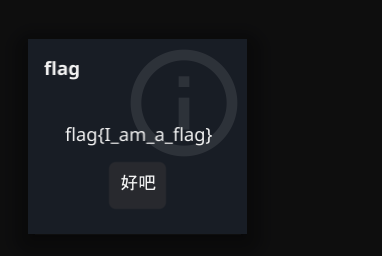
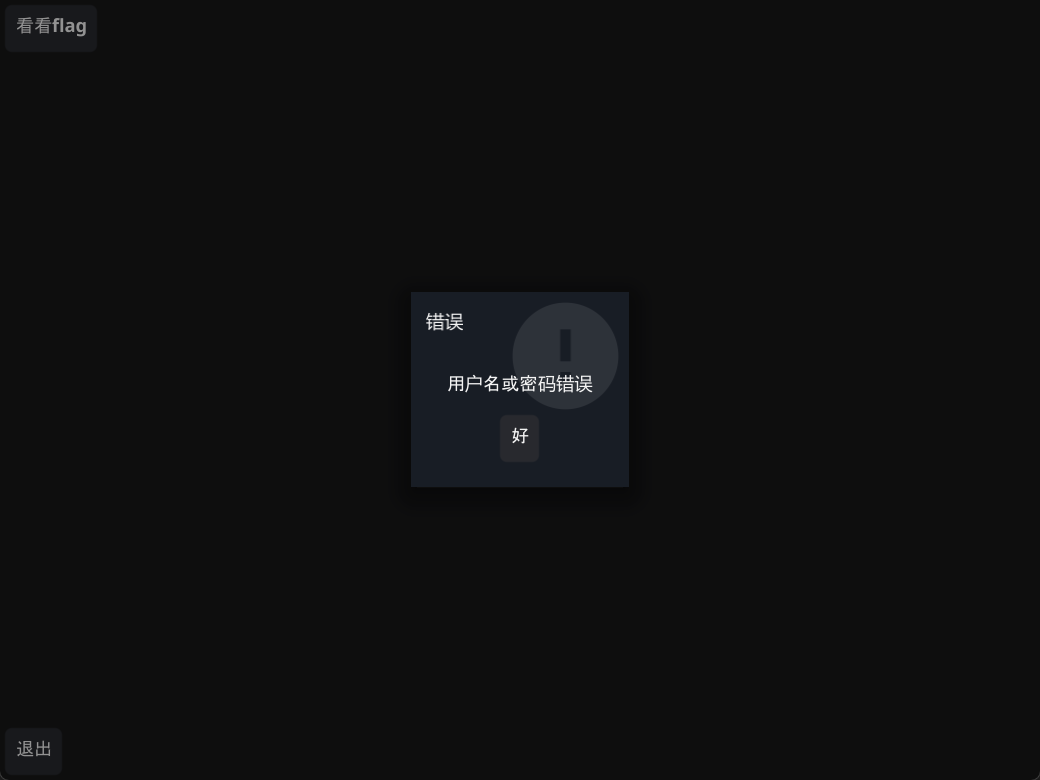
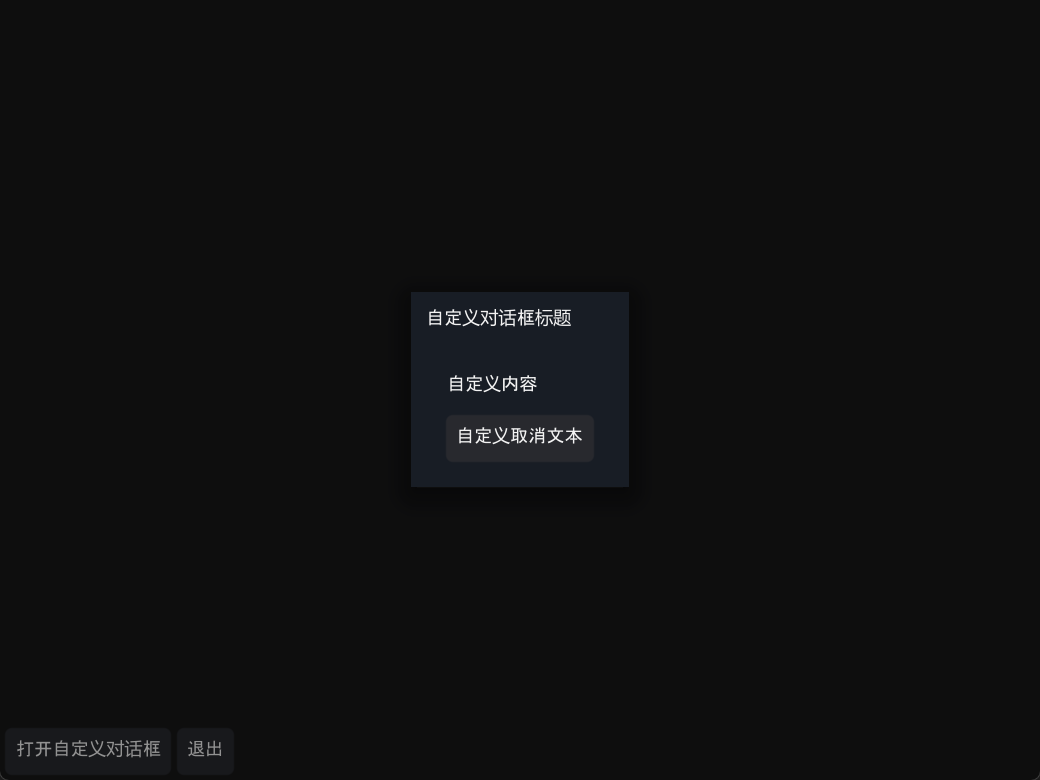
自定义对话框
描述
内容物可自定义的对话框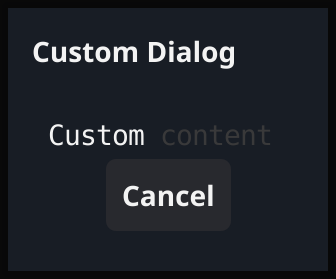
源码
var _ Dialog = (*CustomDialog)(nil)

// CustomDialog implements a custom dialog.//
// Since: 2.4
type CustomDialog struct {
    *dialog
}

// NewCustom creates and returns a dialog over the specified application using custom// content. The button will have the dismiss text set.
// The MinSize() of the CanvasObject passed will be used to set the size of the window.
func NewCustom(title, dismiss string, content fyne.CanvasObject, parent fyne.Window) *CustomDialog {
    d := &dialog{content: content, title: title, parent: parent}

    d.dismiss = &widget.Button{Text: dismiss, OnTapped: d.Hide}
    d.create(container.NewGridWithColumns(1, d.dismiss))

    return &CustomDialog{dialog: d}
}

// ShowCustom shows a dialog over the specified application using custom// content. The button will have the dismiss text set.
// The MinSize() of the CanvasObject passed will be used to set the size of the window.
func ShowCustom(title, dismiss string, content fyne.CanvasObject, parent fyne.Window) {
    NewCustom(title, dismiss, content, parent).Show()
}

// NewCustomWithoutButtons creates a new custom dialog without any buttons.// The MinSize() of the CanvasObject passed will be used to set the size of the window.
//
// Since: 2.4
func NewCustomWithoutButtons(title string, content fyne.CanvasObject, parent fyne.Window) *CustomDialog {
    d := &dialog{content: content, title: title, parent: parent}
    d.create(container.NewGridWithColumns(1))

    return &CustomDialog{dialog: d}
}

// SetButtons sets the row of buttons at the bottom of the dialog.// Passing an empty slice will result in a dialog with no buttons.
//
// Since: 2.4
func (d *CustomDialog) SetButtons(buttons []fyne.CanvasObject) {
    d.dismiss = nil // New button row invalidates possible dismiss button.
    d.setButtons(container.NewGridWithRows(1, buttons...))
}

// SetIcon sets an icon to be shown in the top right of the dialog.// Passing a nil resource will remove the icon from the dialog.
//
// Since: 2.6
func (d *CustomDialog) SetIcon(icon fyne.Resource) {
    d.setIcon(icon)
}

// ShowCustomWithoutButtons shows a dialog, without buttons, over the specified application// using custom content.
// The MinSize() of the CanvasObject passed will be used to set the size of the window.
//
// Since: 2.4
func ShowCustomWithoutButtons(title string, content fyne.CanvasObject, parent fyne.Window) {
    NewCustomWithoutButtons(title, content, parent).Show()
}

// NewCustomConfirm creates and returns a dialog over the specified application using// custom content. The cancel button will have the dismiss text set and the "OK" will
// use the confirm text. The response callback is called on user action.
// The MinSize() of the CanvasObject passed will be used to set the size of the window.
func NewCustomConfirm(title, confirm, dismiss string, content fyne.CanvasObject,
    callback func(bool), parent fyne.Window,
) *ConfirmDialog {
    d := &dialog{content: content, title: title, parent: parent, callback: callback}

    d.dismiss = &widget.Button{
       Text: dismiss, Icon: theme.CancelIcon(),
       OnTapped: d.Hide,
    }
    ok := &widget.Button{
       Text: confirm, Icon: theme.ConfirmIcon(), Importance: widget.HighImportance,
       OnTapped: func() {
          d.hideWithResponse(true)
       },
    }
    d.create(container.NewGridWithColumns(2, d.dismiss, ok))

    return &ConfirmDialog{dialog: d, confirm: ok}
}

// ShowCustomConfirm shows a dialog over the specified application using custom// content. The cancel button will have the dismiss text set and the "OK" will use
// the confirm text. The response callback is called on user action.
// The MinSize() of the CanvasObject passed will be used to set the size of the window.
func ShowCustomConfirm(title, confirm, dismiss string, content fyne.CanvasObject,
    callback func(bool), parent fyne.Window,
) {
    NewCustomConfirm(title, confirm, dismiss, content, callback, parent).Show()
}
代码示例
func SetContentToCustomDialog(win fyne.Window, app fyne.App) {
    quit := tools.CreateQuitButtonWithConfirm(win, app)

    customDialog := dialog.NewCustom("自定义对话框标题", "自定义取消文本", widget.NewLabel("自定义内容"), win)
    openCustomDialog := widget.NewButton("打开自定义对话框", func() {
       customDialog.Show()
    })

    win.SetContent(container.NewBorder(
       // top
       nil,
       //  bottom
       container.NewHBox(openCustomDialog, quit),
       // left
       nil,
       // right
       nil,
       // center
    ))
}
演示